What “Shared Reviews” does
Shared Reviews lets you reuse the same pool of reviews across multiple products that are effectively the same item (for example: refills, similar models, different sizes, or products with shared features). This helps new or lower-traffic products display meaningful review content sooner.
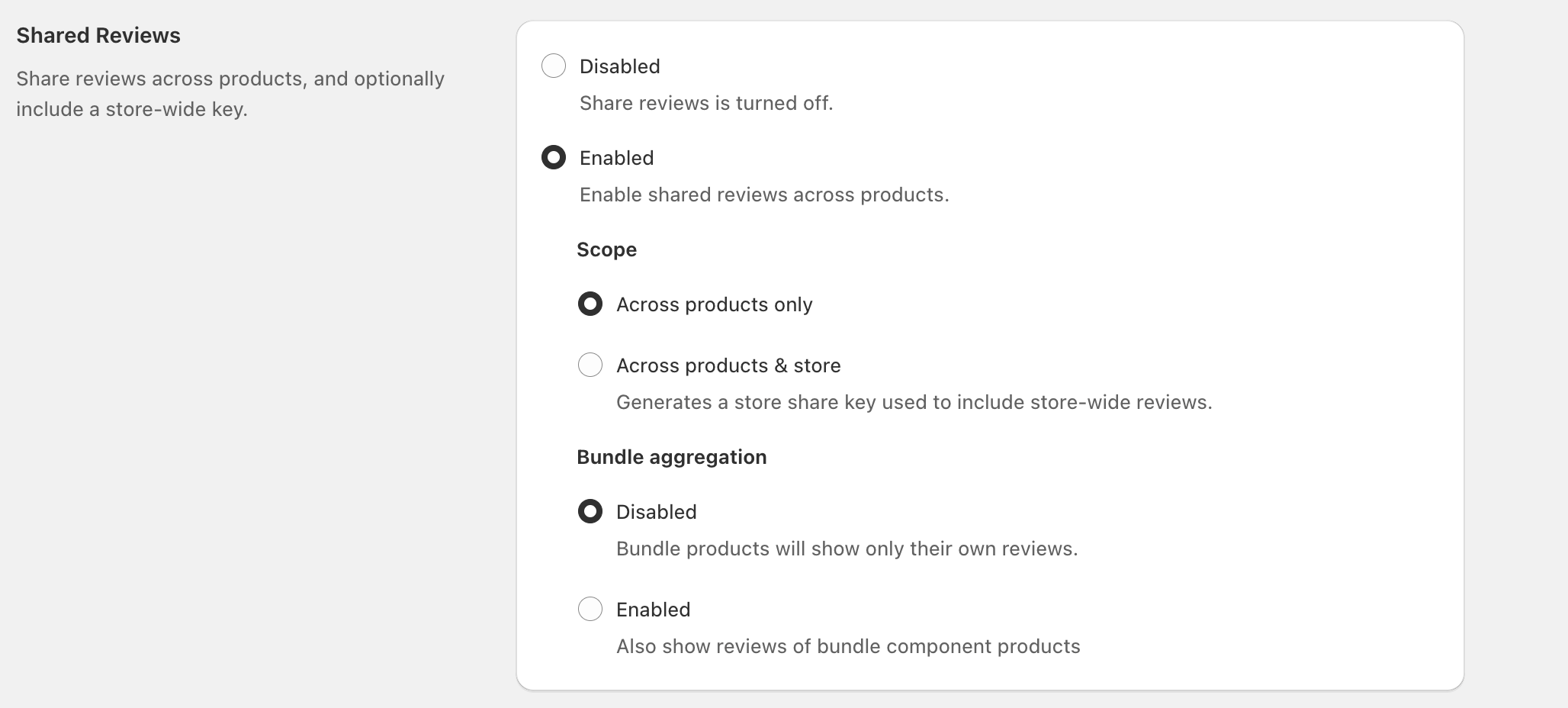
Enable Shared Reviews
In your Reviews settings, open Shared Reviews.
Under Shared Reviews, select Enabled.
Under Scope, choose how broadly reviews can be shared (see options below).
Under Bundle aggregation, choose whether bundles should also show reviews from their component products.
Choose a scope
Across products only
Select Across products only to share reviews among products you’ve grouped together—without pulling in any store-wide review pool.
Across products & store
Select Across products & store to share reviews across your chosen products and include a store-wide share key.
When you choose Across products & store, the app “Generates a store share key used to include store-wide reviews.” Use this when you want a larger shared pool across many related items.Bundle aggregation (bundles vs component products)
Bundle aggregation controls what reviews appear on bundle products.
- Disabled: “Bundle products will show only their own reviews.”
- Enabled: “Also show reviews of bundle component products.”
If you sell bundles that are primarily a combination of existing products (rather than a truly unique product), enabling Bundle aggregation can make the bundle page feel more trustworthy faster.Common use cases
- Refills: Share reviews between a starter product and its refill SKU(s).
- Variants split into separate products: Share reviews across sizes, colors, or packs when each is a separate product listing.
- Model refreshes: Carry review momentum from an older model to a new model when the experience is materially similar.
Only share reviews across products that are genuinely comparable. Sharing reviews across meaningfully different products can confuse shoppers and reduce trust.FAQ
No—Shared Reviews changes where reviews can be displayed. Individual review content stays the same; the setting controls which products can surface that content.
Use it when many products should draw from a broader, store-wide pool (for example, a product line where items are highly similar). If you only want sharing within a tightly defined set of products, use Across products only.
Only if you sell bundles and want bundle pages to display reviews from the bundle’s component products. If bundles are unique (and should be reviewed on their own), leave Bundle aggregation set to Disabled.

