

How to create your email design (Less design restrictions)
What you’ll build
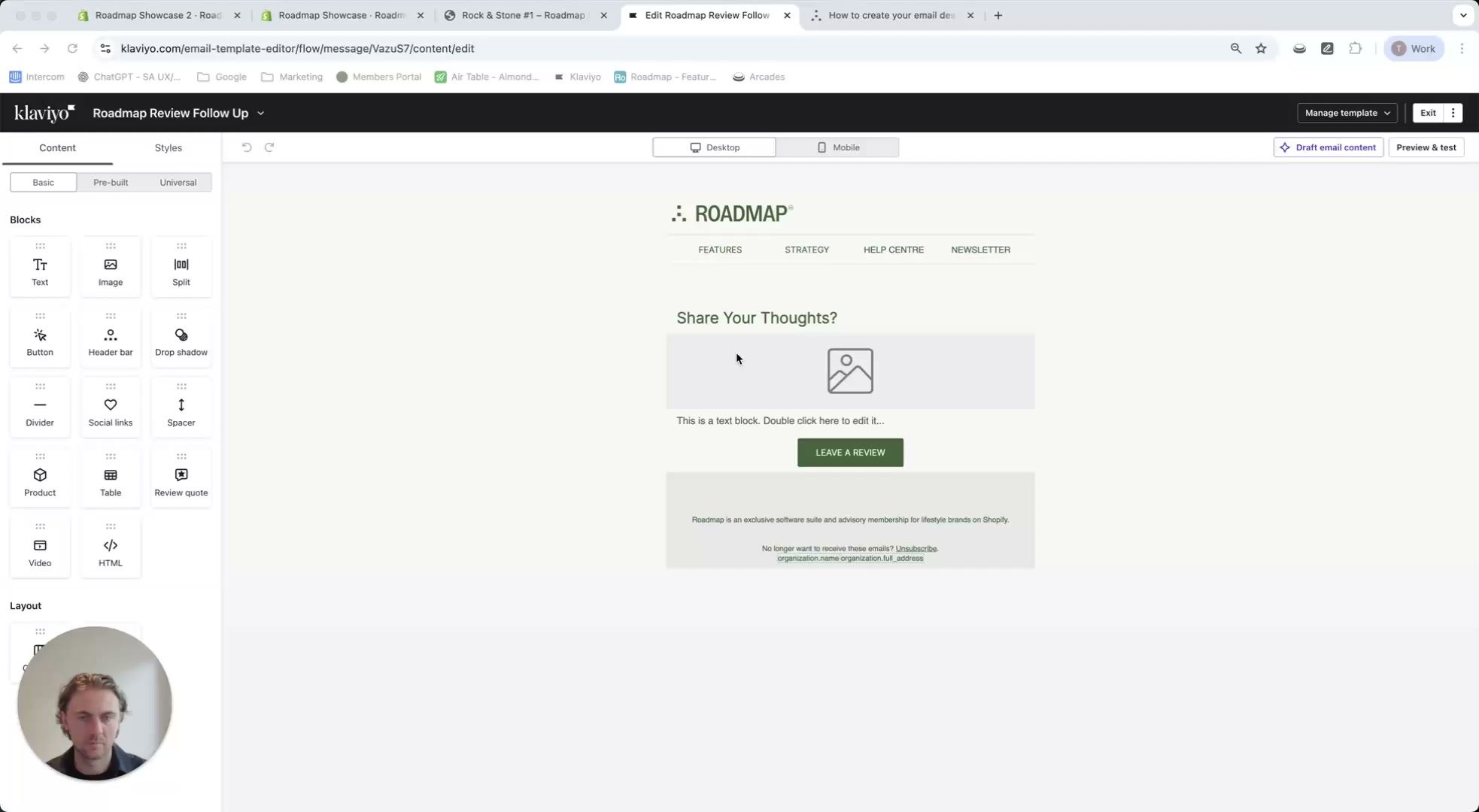
This walkthrough shows how to create a 2-column product row in your email that:
- Displays the purchased product image (dynamic)
- Displays the purchased product title (dynamic)
- Links the title, image, and CTA button to your Roadmap review form with the correct productId and orderId
Create the 2-column layout
In the email editor, open the Content tab (left panel) and drag a Table block into your email.
This table will be your 2-column row: image on the left, text on the right.
Select the table block, then in the Content tab set the column types so you can place:
- Left column: Image
- Right column: Text
Add the dynamic product image (left column)
Click the image area in the left column, then click Select Image and choose Dynamic Image.
Paste the snippet below into the Dynamic Image field, then click Save.
{% if event.extra.lineItems.edges.0.node.product.featuredImage %} {{ event.extra.lineItems.edges.0.node.product.featuredImage }} {% else %} {{ event.extra.lineItems.edges.0.node.variant.variantImage }} {% endif %}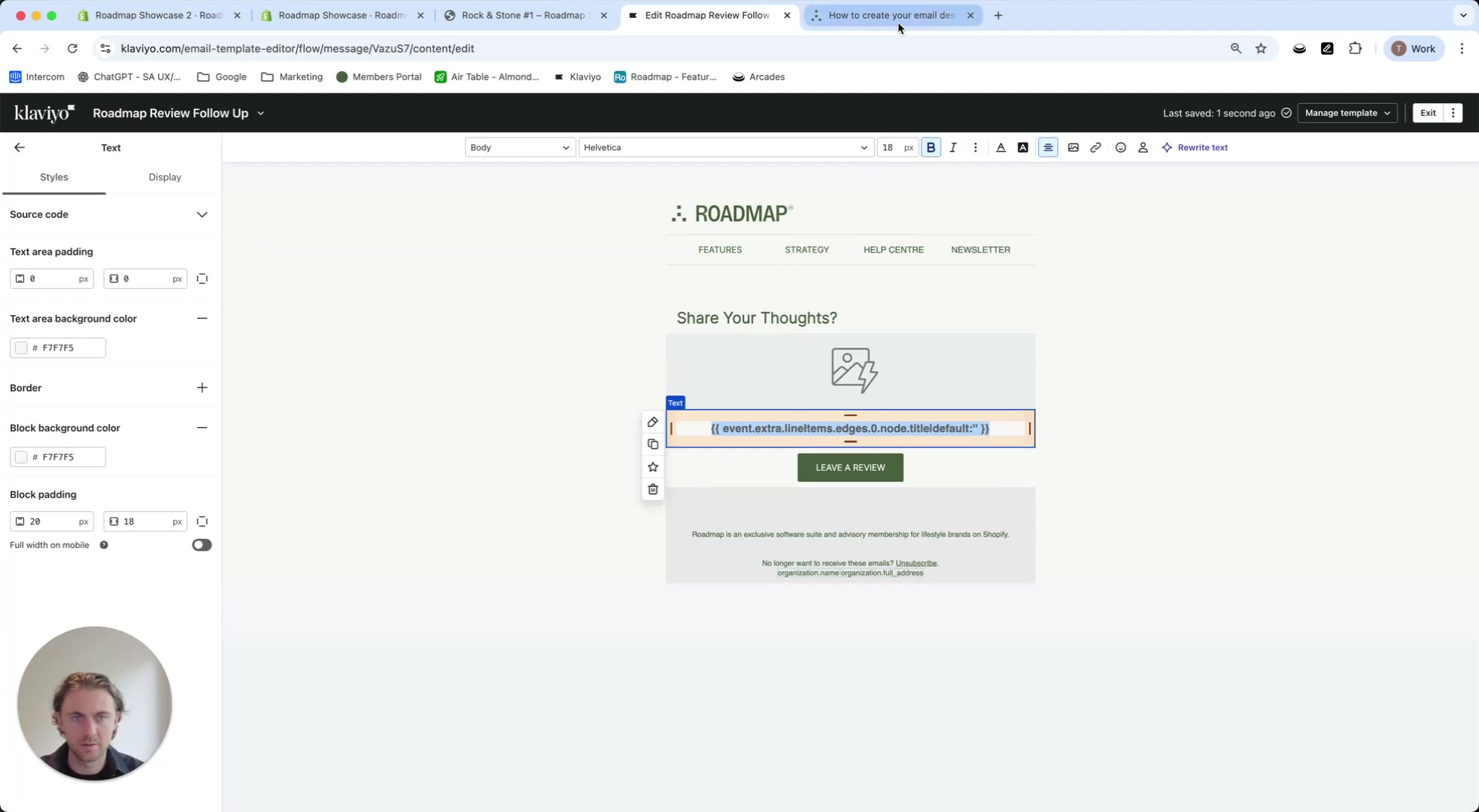
Add the dynamic product title (right column)
Click into the text area in the right column and paste:
{{ event.extra.lineItems.edges.0.node.title|default:'' }}Select (highlight) the product title text, add a link, and use:
{{ organization.url}}/products/{{ event.extra.lineItems.edges.0.node.product.handle|default:'' }}You can style this text (font size, bold, padding, alignment) using the editor’s styling controls.
Add the review form link (image + buttons)
This link sends customers to your Roadmap review form and ensures the form loads the right product and attributes the review to the right order.
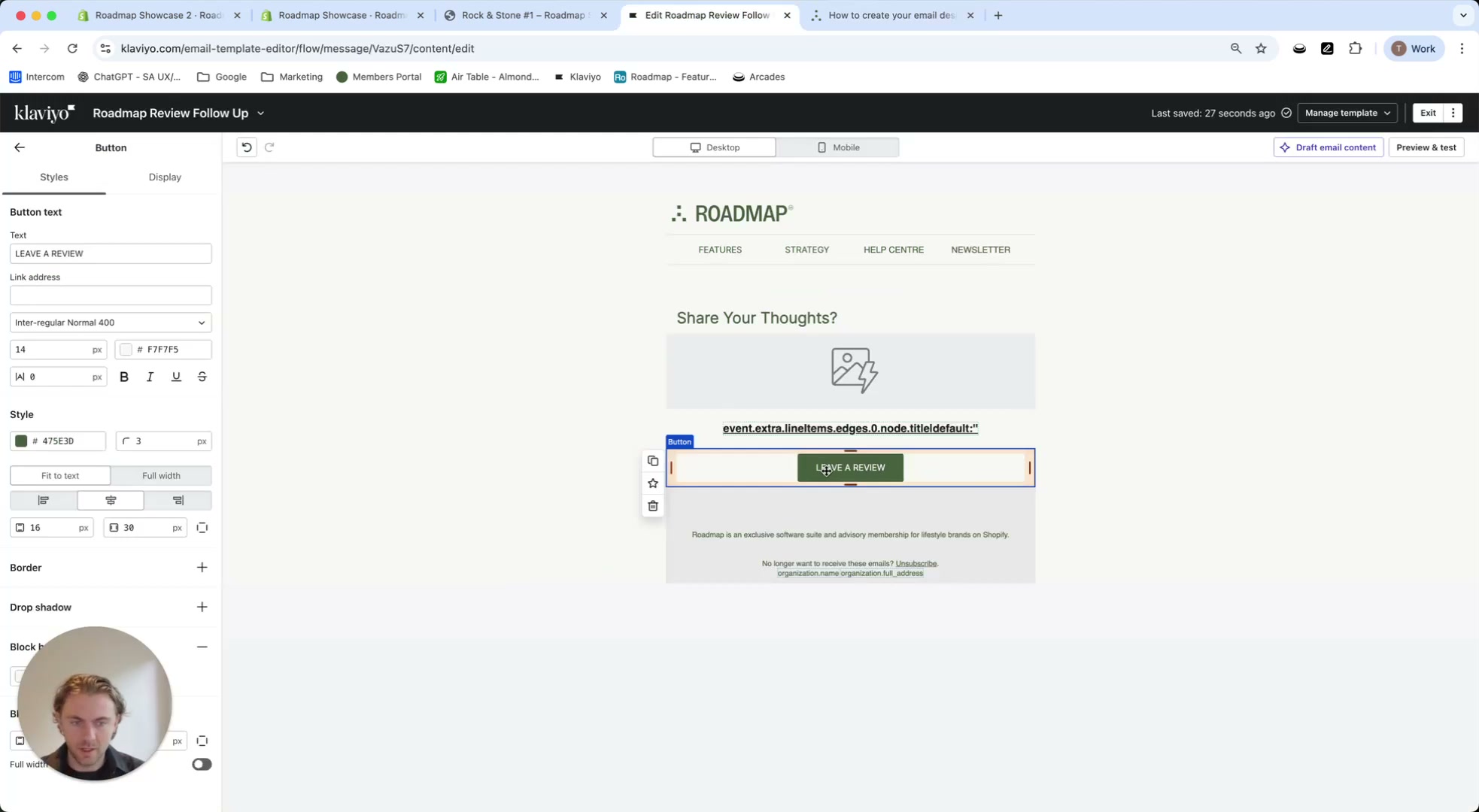
{{ organization.url }}/pages/review-form?productId={{ event.roadmapProductIds.0|default:'' }}&orderId={{ event.roadmapOrderId|default:'' }}Click your CTA button (for example, LEAVE A REVIEW) and paste the URL into the button’s Link address field.
Select the image block and apply the same review form URL so clicks on the product image also open the review form.
Preview and confirm the dynamic data
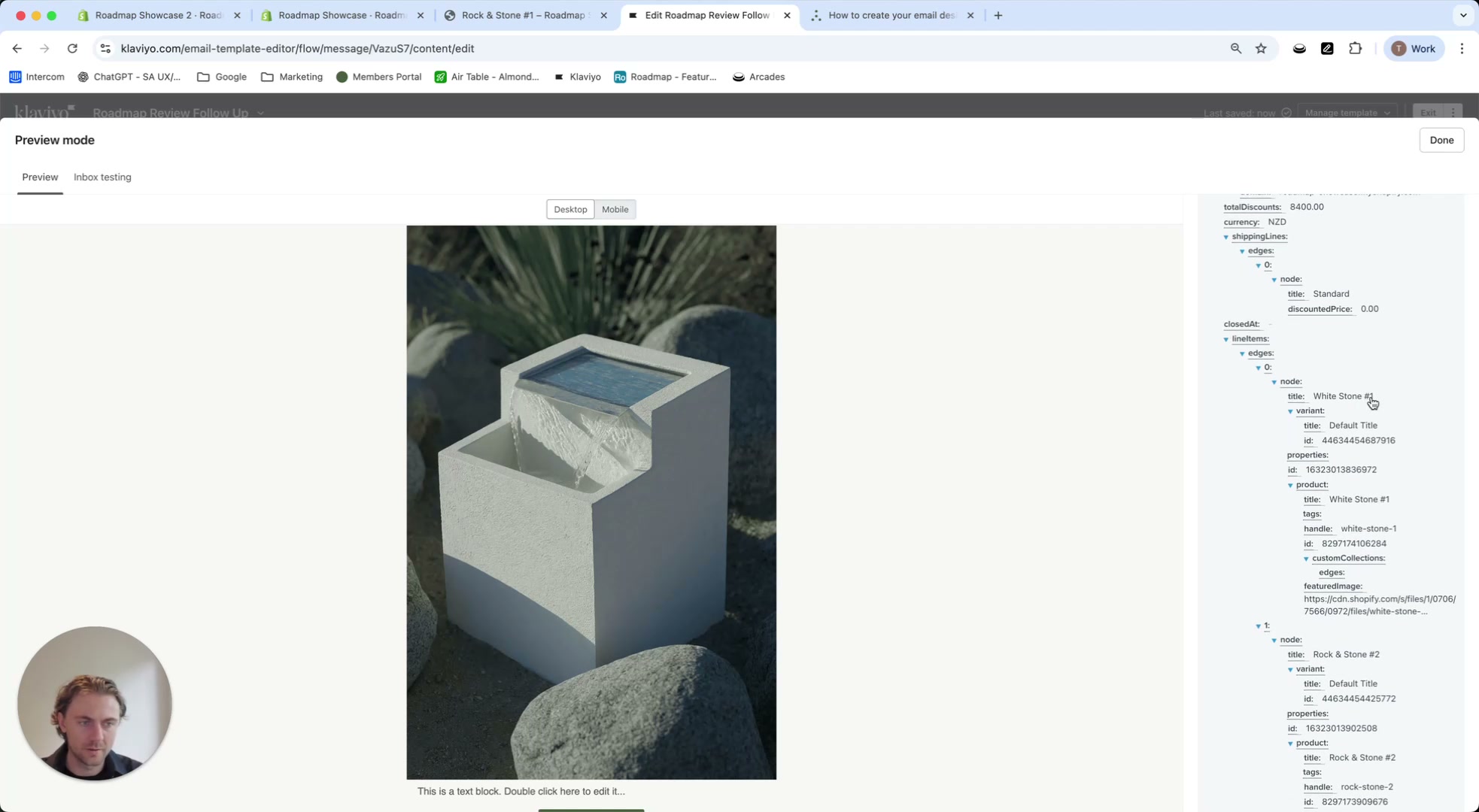
Use Preview & test to confirm the product image, title, and links populate correctly for a real event.
productId and orderId are present and your email is pulling the correct line item.
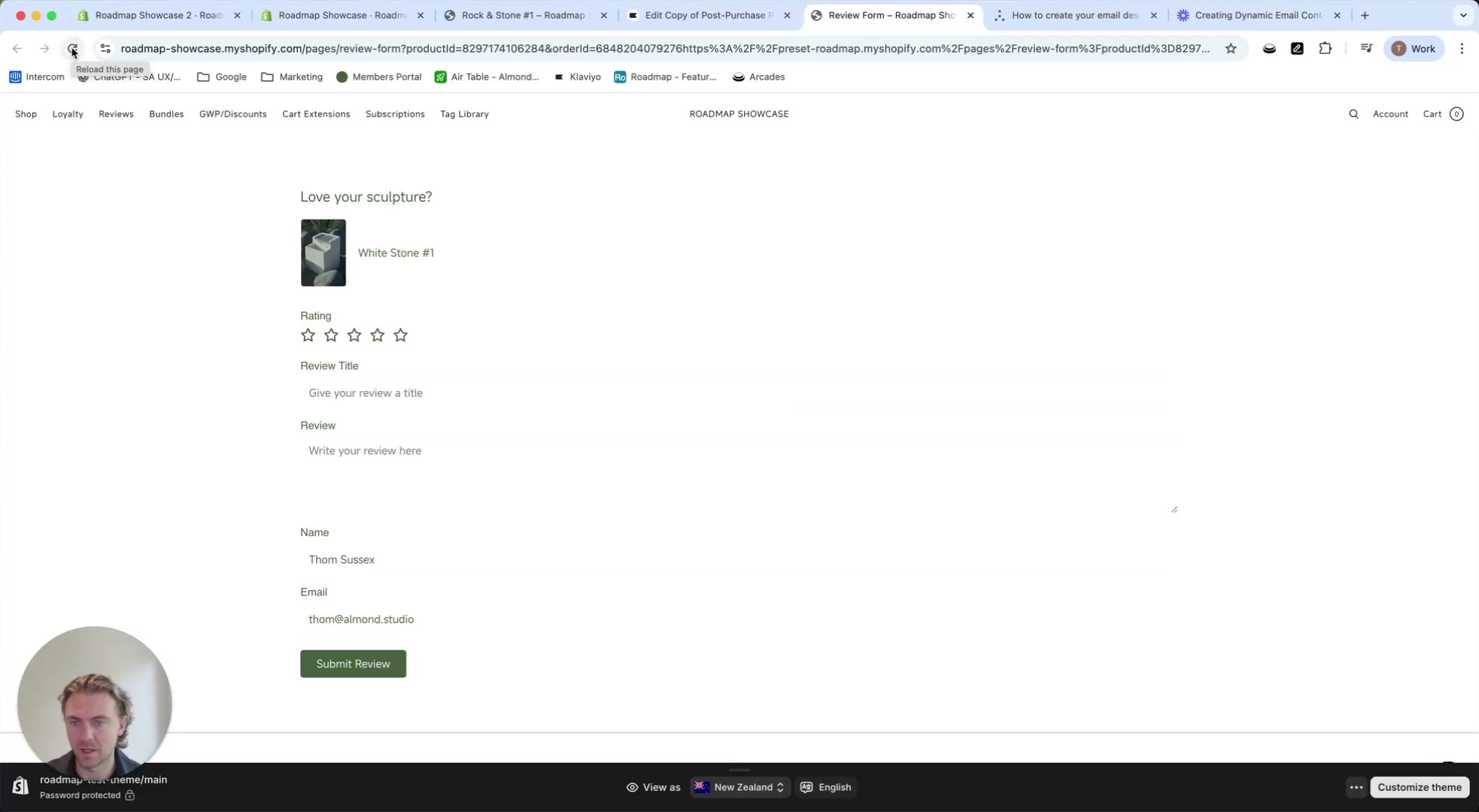
What customers see after clicking
When the customer clicks your image or CTA button, they land on your Roadmap review form page. The form uses the URL parameters to load the correct purchased product and attribute the submission to the correct order.
Add more products (2nd, 3rd, 4th item in an order)
To show additional items from the same order, duplicate your table row and switch the index number in the Liquid snippets:
- Product 1 uses index
0 - Product 2 uses index
1 - Product 3 uses index
2 - …and so on
Dynamic image
{% if event.extra.lineItems.edges.0.node.product.featuredImage %} {{ event.extra.lineItems.edges.0.node.product.featuredImage }} {% else %} {{ event.extra.lineItems.edges.0.node.variant.variantImage }} {% endif %}Product title
{{ event.extra.lineItems.edges.0.node.title|default:'' }}Product link
{{ organization.url}}/products/{{ event.extra.lineItems.edges.0.node.product.handle|default:'' }}Review form link
{{ organization.url }}/pages/review-form?productId={{ event.roadmapProductIds.0|default:'' }}&orderId={{ event.roadmapOrderId|default:'' }}Dynamic image
{% if event.extra.lineItems.edges.1.node.product.featuredImage %} {{ event.extra.lineItems.edges.1.node.product.featuredImage }} {% else %} {{ event.extra.lineItems.edges.1.node.variant.variantImage }} {% endif %}Product title
{{ event.extra.lineItems.edges.1.node.title|default:'' }}Product link
{{ organization.url}}/products/{{ event.extra.lineItems.edges.1.node.product.handle|default:'' }}Review form link
{{ organization.url }}/pages/review-form?productId={{ event.roadmapProductIds.1|default:'' }}&orderId={{ event.roadmapOrderId|default:'' }}Dynamic image
{% if event.extra.lineItems.edges.2.node.product.featuredImage %} {{ event.extra.lineItems.edges.2.node.product.featuredImage }} {% else %} {{ event.extra.lineItems.edges.2.node.variant.variantImage }} {% endif %}Product title
{{ event.extra.lineItems.edges.2.node.title|default:'' }}Product link
{{ organization.url}}/products/{{ event.extra.lineItems.edges.2.node.product.handle|default:'' }}Review form link
{{ organization.url }}/pages/review-form?productId={{ event.roadmapProductIds.2|default:'' }}&orderId={{ event.roadmapOrderId|default:'' }}