
How to setup your reviews for auto publishing

What review auto publishing does

Auto Publish controls whether new reviews are published automatically, or if you need to publish them manually.

  • Disabled: New reviews are not published automatically. The screen notes: “You must manually publish new reviews.”
  • Enabled: New reviews are automatically published when they meet your minimum star rating.
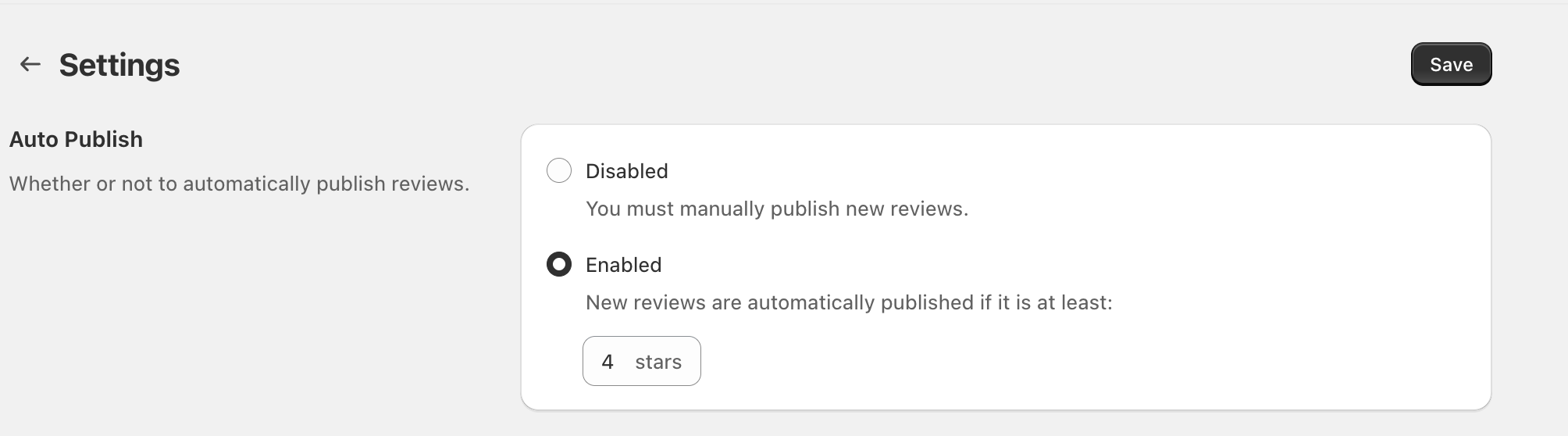
Settings page showing Auto Publish options (Disabled/Enabled) and a star threshold selector

Update your auto publish setting

In the app, go to Settings.In the Auto Publish section, choose one of the options: Disabled or Enabled.If you select Enabled, set the star threshold under: “New reviews are automatically published if it is at least:” (for example, 4 stars).Select Save in the top-right corner.

How the star threshold works

When Enabled, only reviews with a star rating equal to or higher than the value you select are auto published. Reviews below that threshold won’t be auto published.

If you want to maintain quality while reducing moderation time, start with a higher threshold (for example, 4 stars), then adjust as you learn what works for your store.Auto publishing makes reviews visible without manual review. If you’re concerned about spam or sensitive content, keep Auto Publish set to Disabled and publish reviews manually.