

How do I set rules for tier progression?
Where tier progression rules are set
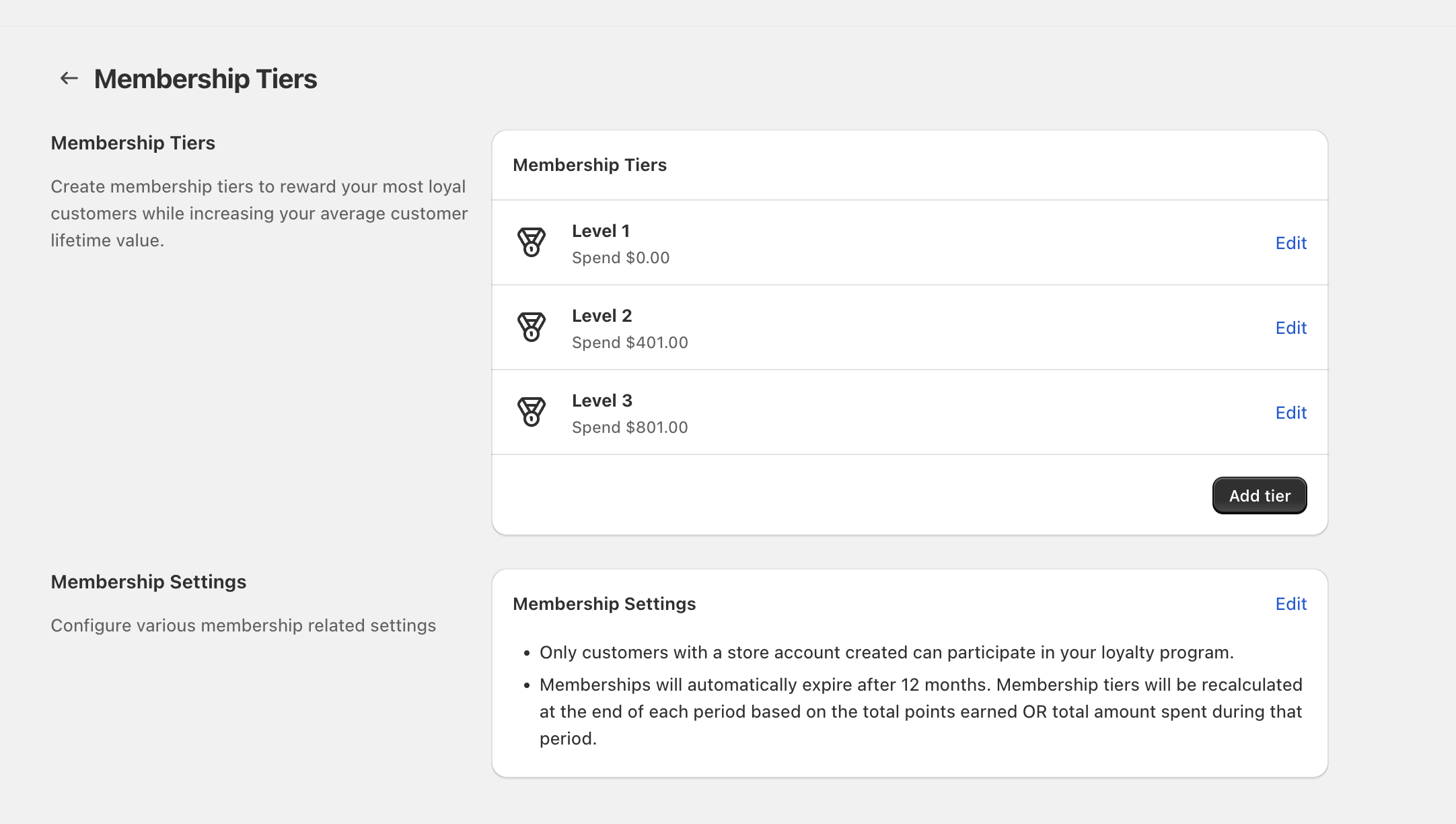
Tier progression is configured in your Loyalty Program under Membership Tiers. Each tier has its own earning rule in the Milestone to achieve tier section on the Edit Membership Tier screen.
Set progression rules for a tier
Go to Loyalty Program → Membership Tiers.
In the tier list (for example, Level 1, Level 2, Level 3), click Edit on the tier you want to change.
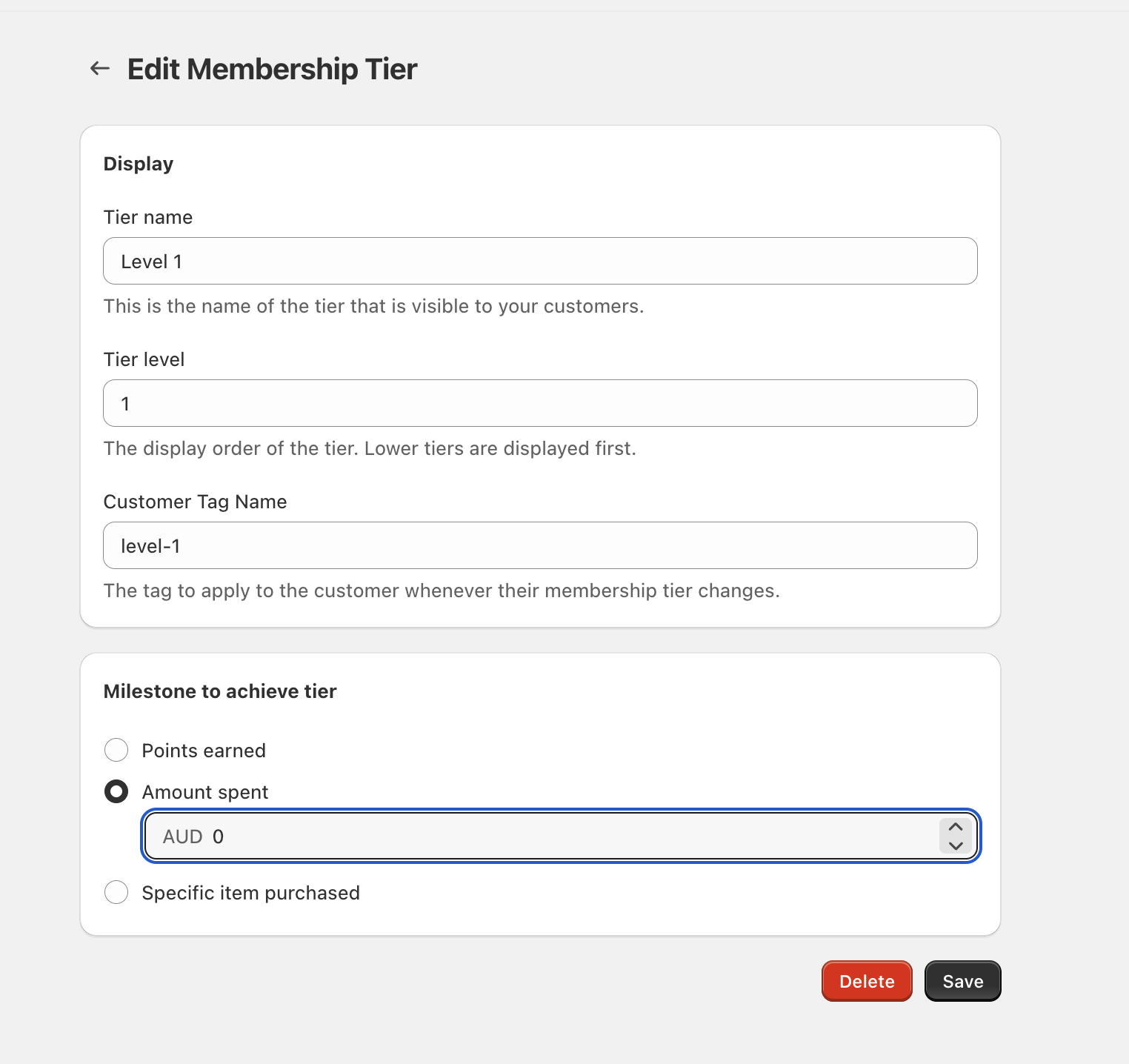
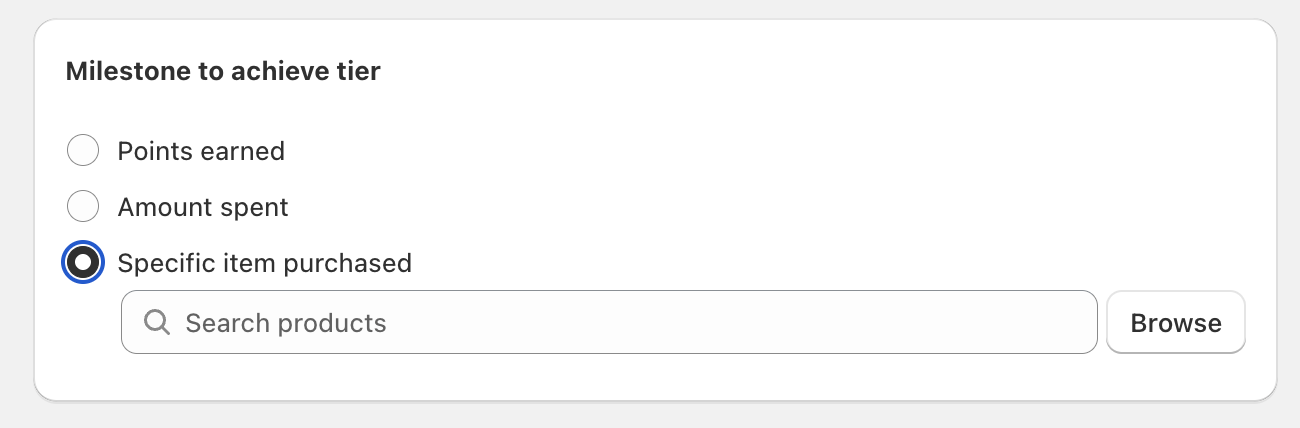
On Edit Membership Tier, find Milestone to achieve tier and choose one option:
- Points earned — progress when customers reach the points threshold you set.
- Amount spent — progress when customers reach the spend threshold (shown in your store currency, for example
AUD). - Specific item purchased — progress when customers purchase a product you select.
- If you chose Points earned or Amount spent, enter the number in the input field.
- If you chose Specific item purchased, use Search products or click Browse to select the qualifying item.
Click Save to apply the new progression rule.
Set tier order (what customers see first)
Tier order is controlled by the Tier level field in the Display section on Edit Membership Tier. Lower tiers are displayed first.
1, 2, and 3 respectively.Use tags when a tier changes
Each tier can apply a tag to customers when their tier changes. On Edit Membership Tier, set Customer Tag Name (for example, level-1). This is helpful if you segment or filter customers elsewhere using tags.
How tier progression is recalculated over time
On the Membership Tiers page, review the Membership Settings panel for the lifecycle rules:
- Only customers with a store account created can participate in your loyalty program.
- Memberships automatically expire after 12 months.
- Membership tiers will be recalculated at the end of each period based on the customer’s total points earned OR total amount spent during that period (depending on how your tiers are configured).
Add or remove tiers
- Add a tier: On Membership Tiers, click Add tier.
- Delete a tier: Open the tier with Edit, then click Delete on the Edit Membership Tier screen.
FAQ
Yes. Each tier has its own Milestone to achieve tier setting, so one tier can be based on Amount spent while another is based on Points earned or Specific item purchased.
Those are default names. You can rename them using the Tier name field on Edit Membership Tier.
Tier progression rules decide who qualifies. Tier perks are configured separately under Membership Tiers in Reward Customers / Customer Rewards using triggers like Tier Reached or Time Completed.