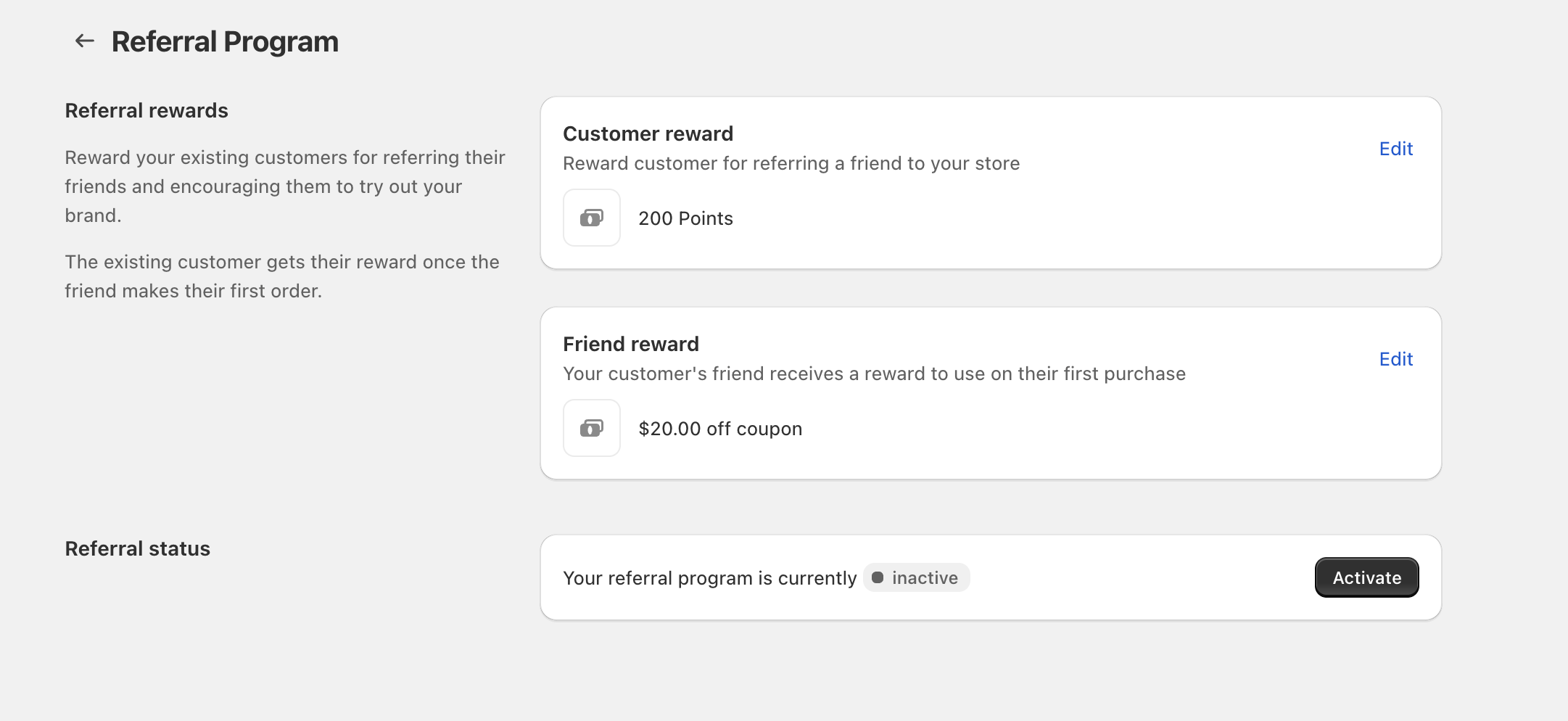
Use Referral Program to reward both the existing customer who refers a friend and the friend who places their first order.
The existing customer receives their reward once the friend makes their first order.
Set the reward for the referring customer
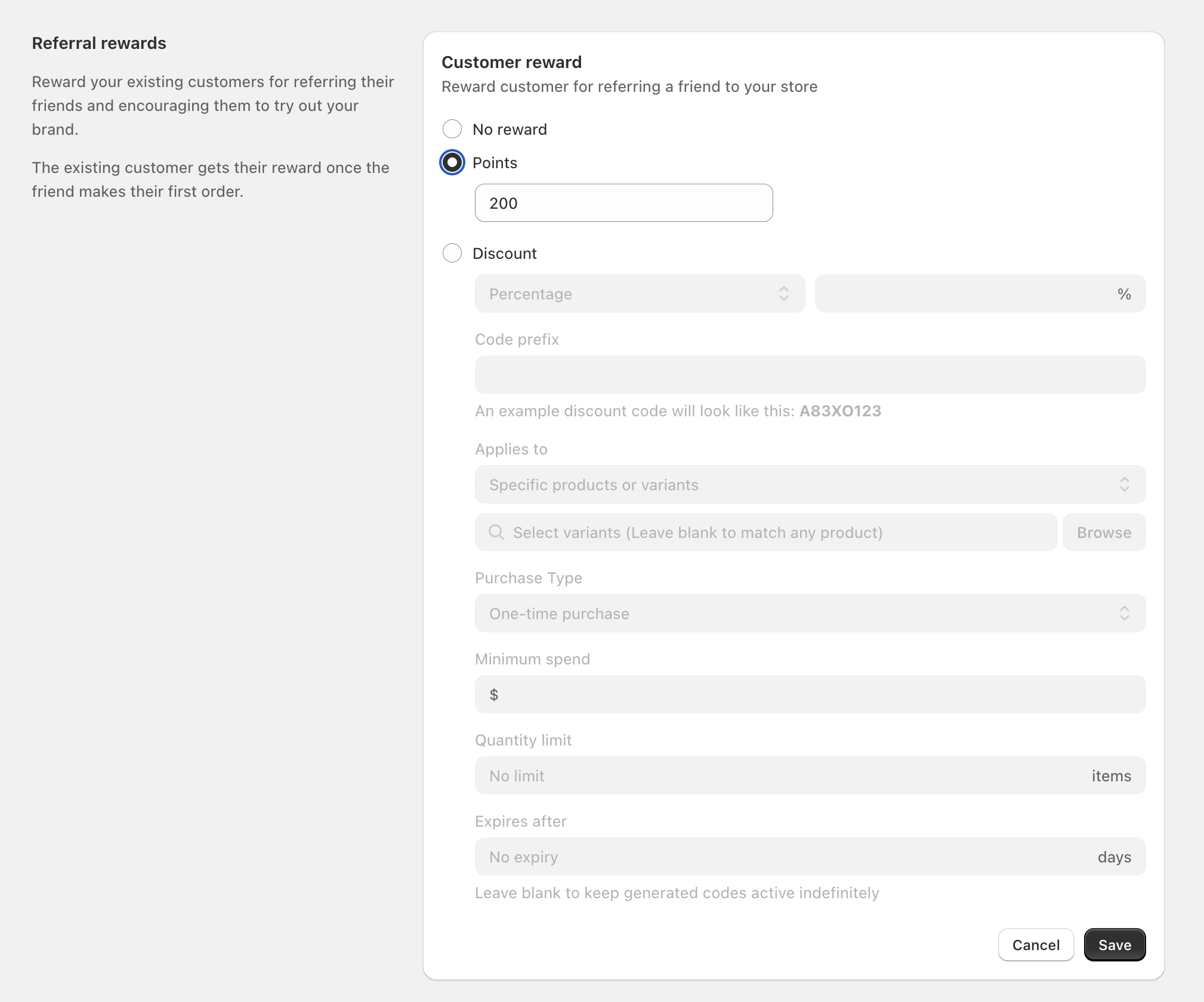
From Referral Program, find Customer reward and select Edit.
Select one option:- No reward (turns off the customer reward)
- Points (enter the number of points)
- Discount (configure a coupon-style discount)
Fill in the available fields as needed:- Percentage or Fixed amount
- Code prefix (the beginning of the generated code; the example updates underneath)
- Applies to (for example, Specific products or variants)
- Select variants (optional; select specific variants, or leave blank to match any product). Use Browse to pick items.
- Purchase Type (for example, One-time purchase)
- Minimum spend
- Quantity limit
- Expires after (leave as No expiry to keep codes active indefinitely)
Select Save.
Set the reward for the referred friend
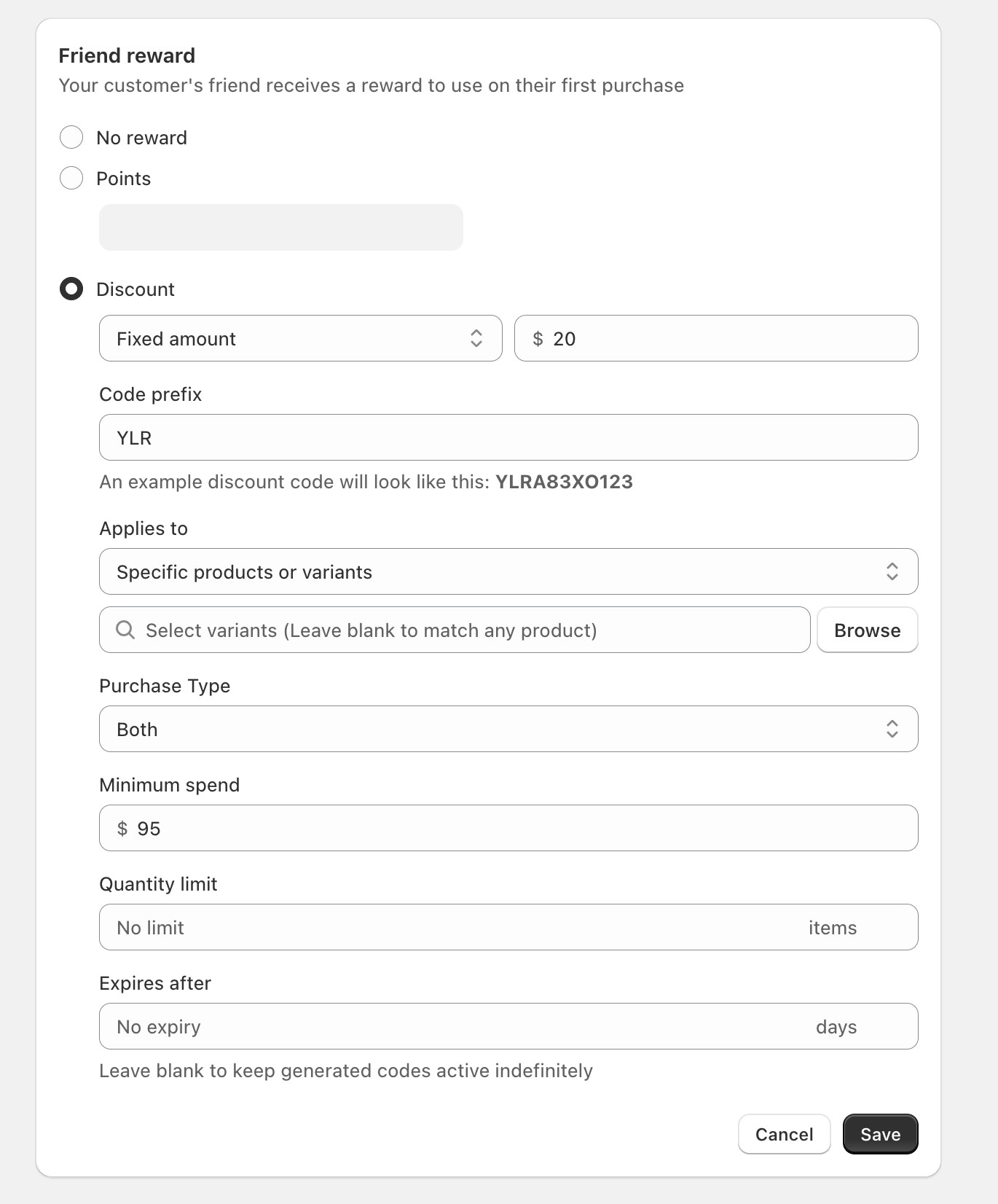
The Friend reward is what your customer’s friend receives to use on their first purchase.
From Referral Program, find Friend reward and select Edit.
Pick No reward, Points, or Discount, then configure the same discount rule fields if you choose Discount.
Select Save.
Activate your Referral Program
On the Referral Program page, look for the Referral status section.
If it shows inactive, select Activate.
If you’re testing, set a small Points reward first (for example, 50–200) to verify the referral flow, then switch to a Discount once you’re ready.
FAQ
The referring customer receives their reward after the friend makes their first order.
No. You can choose No reward for either Customer reward or Friend reward, and keep the other one active.
It sets the starting characters for generated discount codes. The example shown beneath the field updates to preview what the code will look like.

