What a loyalty program is (on Shopify)
A Shopify loyalty program rewards customers for actions that grow repeat purchase behavior—like placing orders, creating an account, referring friends, or engaging with your brand. Most programs combine a few building blocks:
- Points: Customers earn points and redeem them for rewards (discounts, free shipping, gifts, etc.).
- Tiers (VIP): Customers unlock higher benefits as they spend more or earn more points.
- Referrals: Customers share a link/code. The friend gets an incentive and the advocate gets a reward after a successful referral.
- On-site widgets: A visible loyalty experience on your storefront so customers can see how to earn and redeem.
Shopify doesn’t include a full loyalty system out of the box for most stores, so loyalty is typically delivered through an app that adds earning/redeeming rules plus storefront widgets.Roadmap’s Loyalty options
In Roadmap, loyalty is organized as a single Loyalty Program area with four sections you can manage:
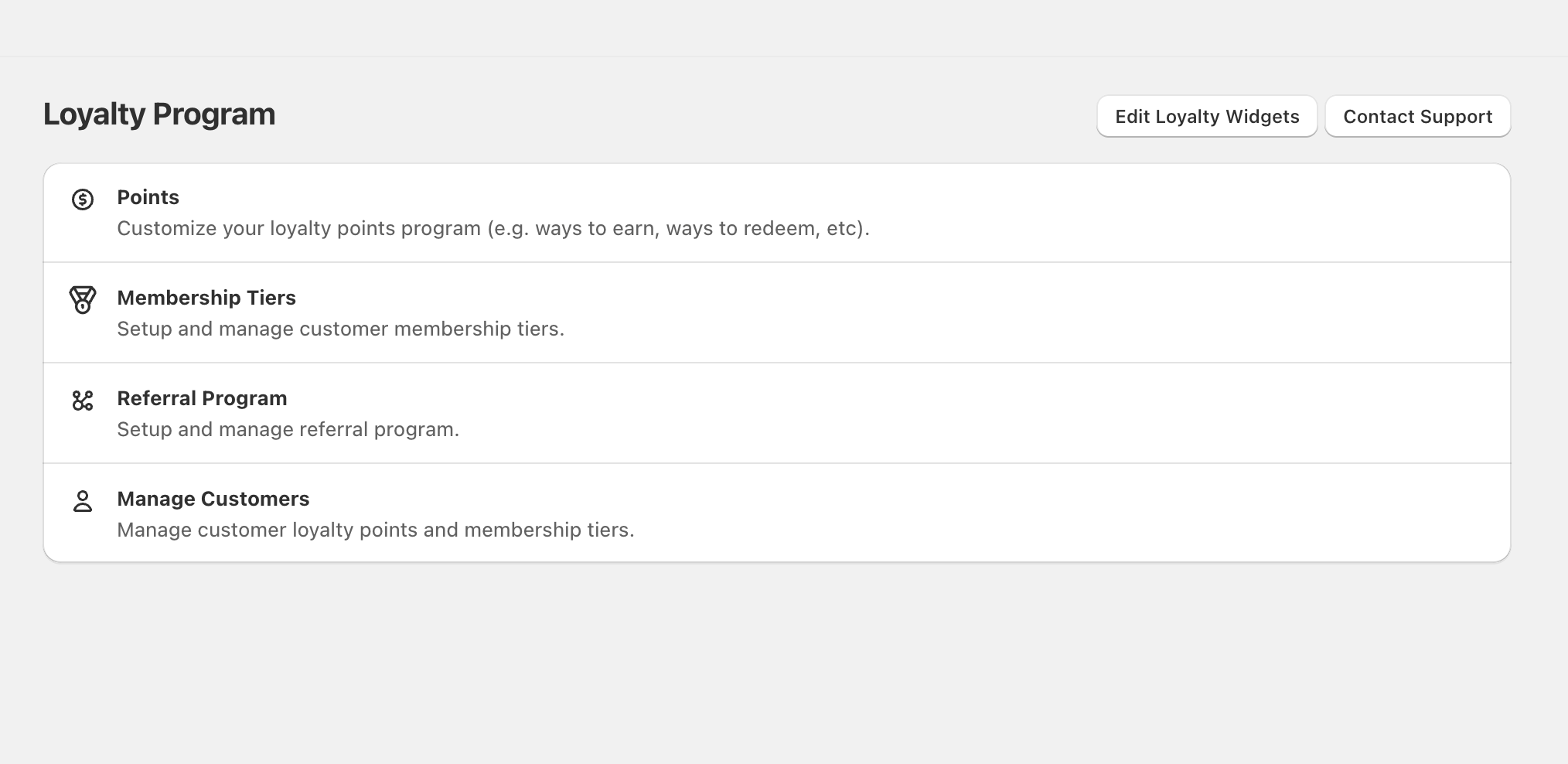
- Points — “Customize your loyalty points program (e.g. ways to earn, ways to redeem, etc.).”
- Membership Tiers — “Setup and manage customer membership tiers.”
- Referral Program — “Setup and manage referral program.”
- Manage Customers — “Manage customer loyalty points and membership tiers.”
At the top of the Loyalty Program page, you’ll also see:
- Edit Loyalty Widgets — where you control the storefront loyalty widgets customers interact with.
- Contact Support — if you need help configuring your program for your brand’s use case.
Recommended setup path (most brands)
Open Loyalty Program → Points to define how customers earn and what they can redeem for. This becomes the foundation for the rest of your loyalty experience.Go to Membership Tiers to create tier levels and benefits. Use tiers when you want higher spenders to unlock better rewards automatically.Open Referral Program to set up advocate and friend incentives. Referrals work best when your store already has a few high-satisfaction products and repeat customers.Select Edit Loyalty Widgets to make sure your earning, redeeming, tier status, and referral experience is visible and easy to understand on your storefront.Use Manage Customers to review customer points and tier status as you test changes, resolve support questions, or run targeted promotions.If you’re launching loyalty for the first time, keep the program simple for the first 2–4 weeks (a small set of earning actions and a few clear rewards). Once customers understand the value, expand with tiers and additional ways to earn.How to choose the right Roadmap loyalty model
Use Points when you want a clear, repeatable reward system customers can understand quickly. Points are ideal for encouraging repeat purchases and increasing customer lifetime value.Add Membership Tiers when you want to recognize and retain your best customers with escalating benefits (VIP perks). Tiers are especially effective for brands with a wide range of customer spend levels.Use Referral Program when you want customers to help acquire new customers. Referrals tend to perform best when the offer is simple and the reward triggers are clear to both the advocate and the friend.Use Manage Customers to review and maintain loyalty status for individual shoppers—helpful for customer support, resolving point questions, and checking tier progression.Common Shopify loyalty scenarios Roadmap supports
- Launch a points program: Start with Points, then publish widgets via Edit Loyalty Widgets.
- Create a VIP program: Configure Membership Tiers and communicate benefits with storefront widgets.
- Grow acquisition with referrals: Set up Referral Program and ensure the referral widget is easy to find.
- Handle customer issues quickly: Use Manage Customers to verify points and tier status when customers contact support.
Before announcing loyalty publicly, double-check your customer-facing messaging in Edit Loyalty Widgets so customers see accurate earning and redemption rules.
