

Why aren’t referral rewards applying correctly?
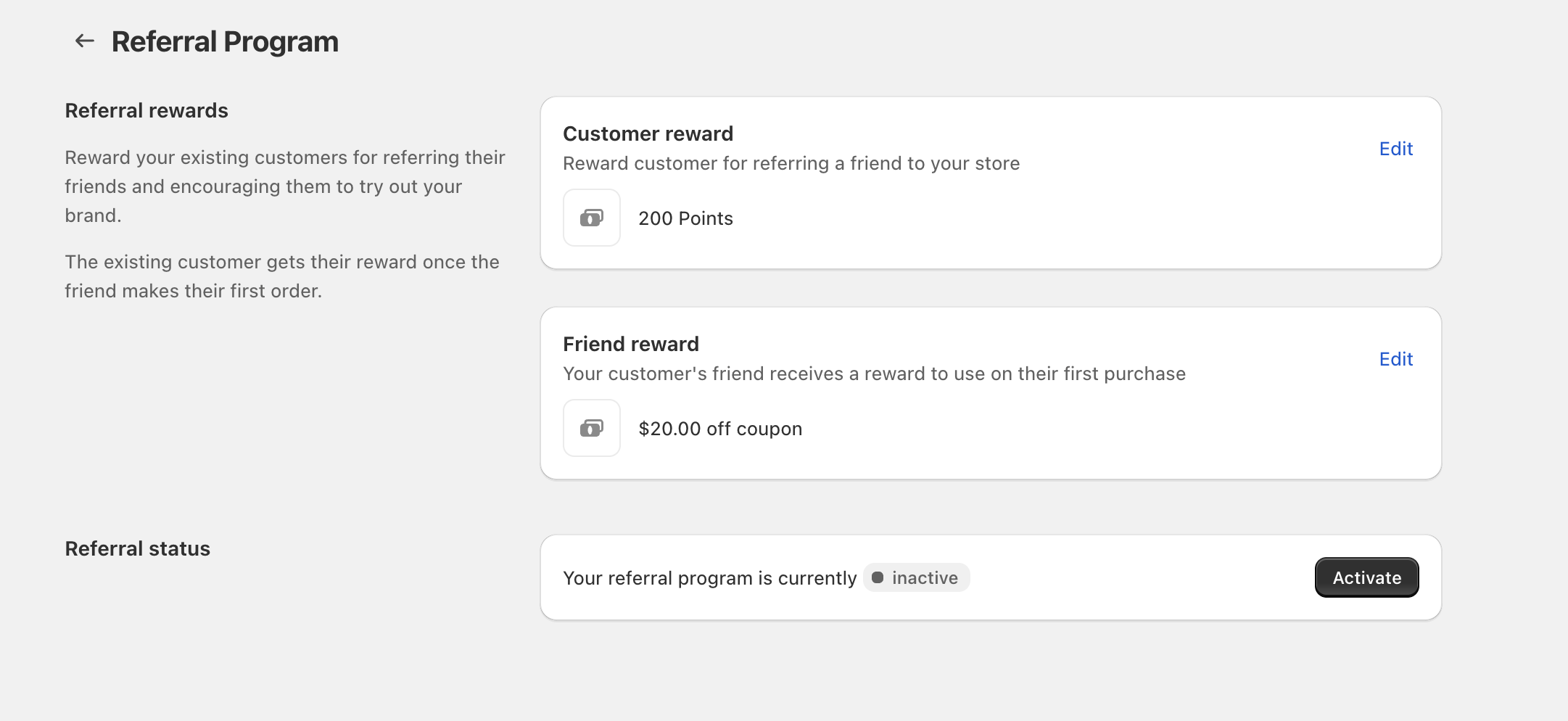
If referral rewards aren’t applying the way you expect (no points awarded, or a referral coupon won’t work), the cause is usually one of these: the Referral Program is inactive, the reward is set to No reward, the friend hasn’t placed their first order yet, or the discount reward has restrictions that the order doesn’t meet.
Quick checklist
Step-by-step troubleshooting
1) Referral status is inactive
If the program is inactive, no referral rewards will be generated or granted.
- Go to Referral Program.
- Find Referral status.
- If it shows inactive, click Activate.
2) The reward is set to “No reward”
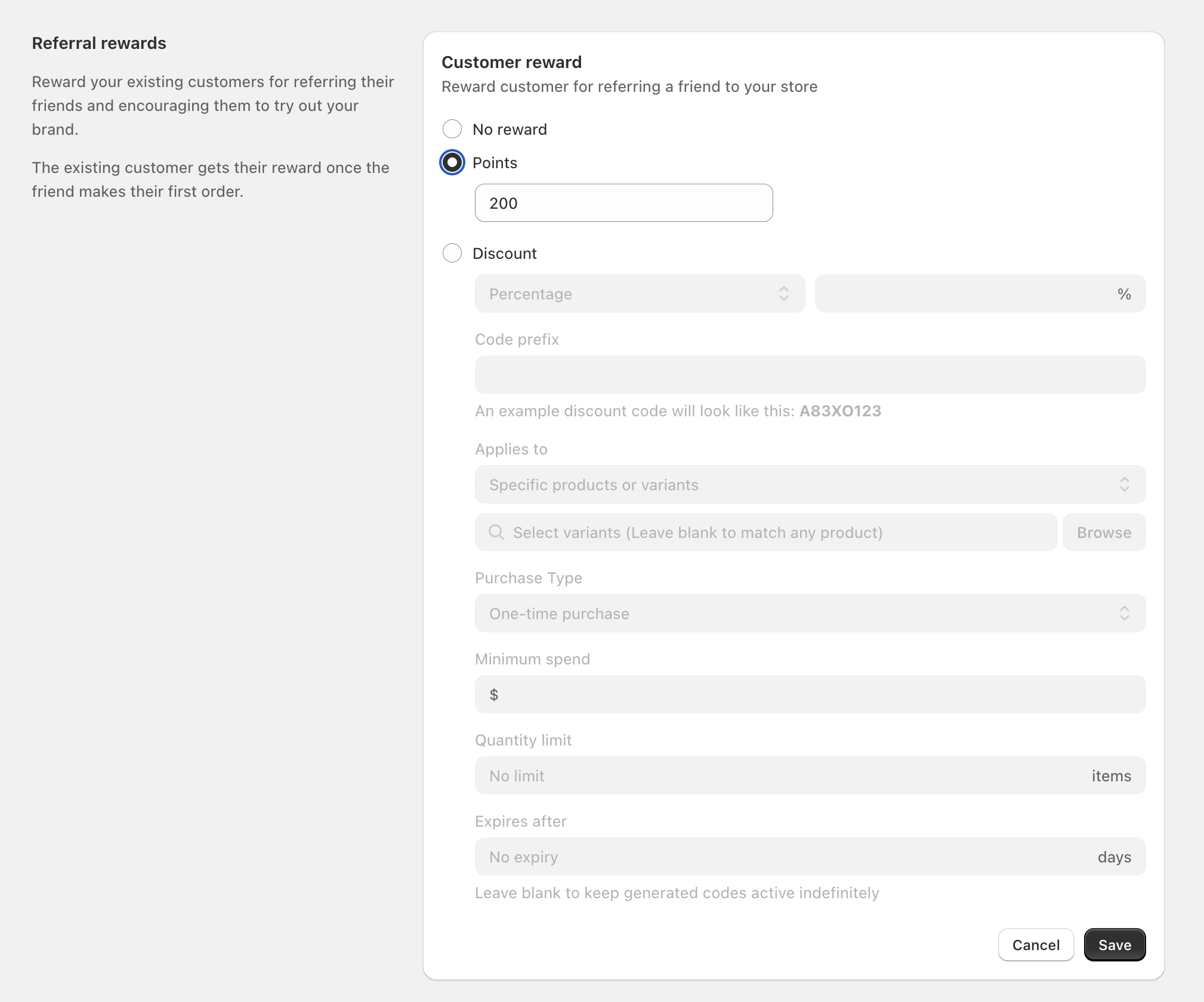
Either side of the referral can be turned off. If a customer expects a reward but that reward is set to No reward, nothing will apply.
- From Referral Program, click Edit next to Customer reward.
- Confirm Points or Discount is selected (or intentionally keep No reward).
- Repeat for Friend reward.
3) The friend hasn’t placed a first order yet
This is the most common reason the referring customer doesn’t see points (or a reward) show up.
- The referring customer’s reward is granted after the referred friend makes their first order.
- If you’re testing, ensure the friend completes checkout (not just adds items to cart).
4) Discount reward restrictions don’t match the cart
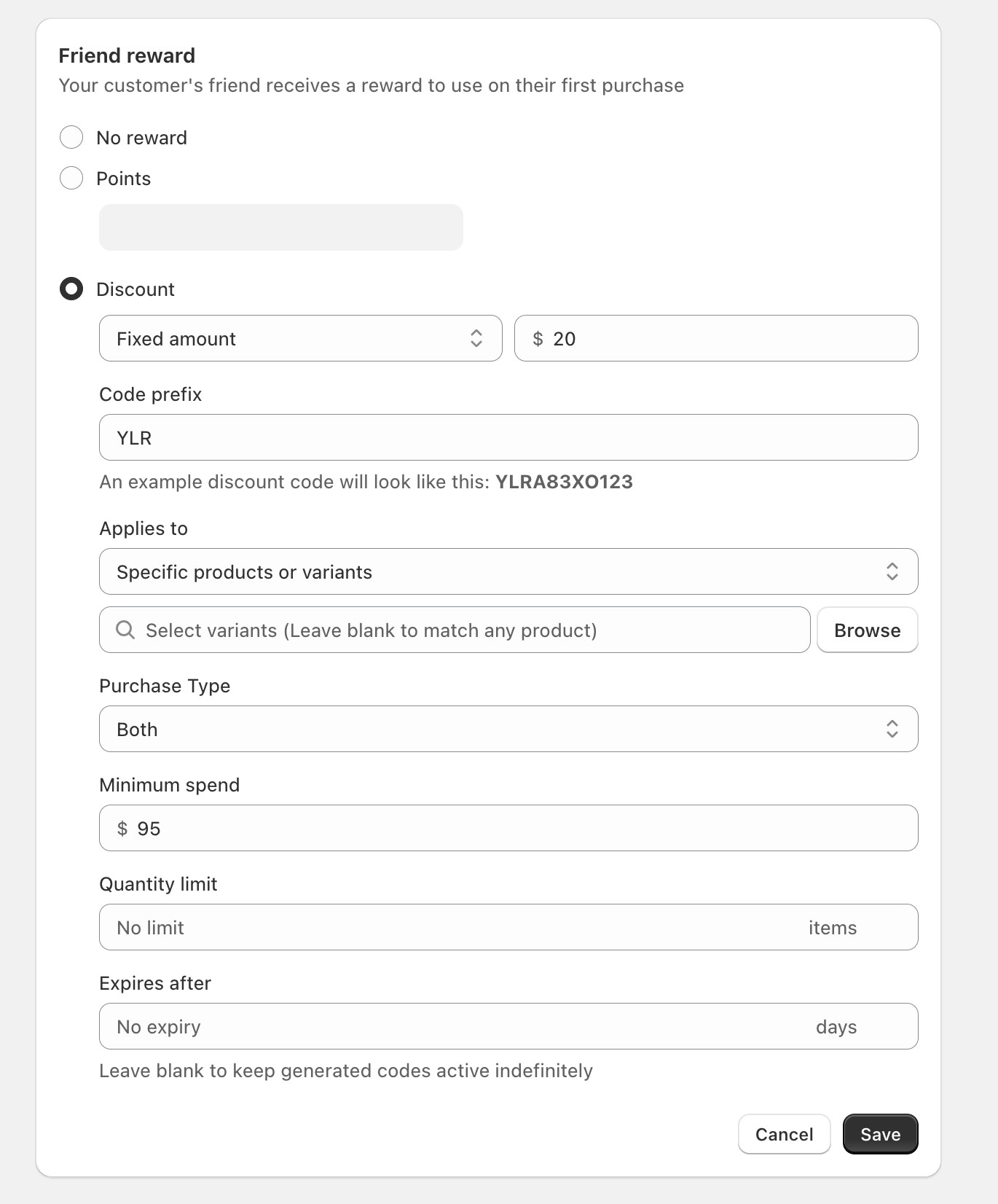
If your referral reward is a Discount, it behaves like a coupon-style discount with rules. If any rule doesn’t match, the code may not apply.
In Referral Program, click Edit on the reward and review:
- Applies to (for example, Specific products or variants)
- Select variants (if set, the cart must include those variants; you can use Browse to choose them)
- Purchase Type (for example, One-time purchase or Both)
- Minimum spend
- Quantity limit
- Expires after (if not No expiry, the code can become invalid after the set number of days)
5) Another promotion or coupon is taking precedence
If you run multiple offers at once (or the customer uses another coupon), it can change what applies at checkout.
- If you’re also running offers in Discounts / Gift with Purchase, temporarily pause them and retest the referral reward.
- If the customer redeemed points (loyalty coupons) from Redeem points → Ways to redeem, those coupons may conflict with other discounts.
FAQ
- In Referral Program, click Edit on Friend reward and confirm it’s set to Discount (not No reward).
- Check Minimum spend, Applies to, and Purchase Type restrictions.
- Confirm the friend is using the reward on their first purchase.
No. The referring customer receives their reward once the friend makes their first order.
Code prefix sets the starting characters for generated referral discount codes. The example displayed under the field updates to show a preview of the code format.