

Setting up secret product and use cases examples
What Secret Products does
Secret Product is a Tag Library tag type that lets you control who can see specific products or collections in your Shopify store. You create one rule (a “tag”) in the app, then choose:
- What it applies to (products or collections)
- Customer Eligibility (who can see it)
- Redirect ineligible customers to: (where blocked visitors should land)
- Active Dates (optional scheduling)
Wholesale access - Trade).Set up a Secret Product tag
From the app, go to Tag Library.
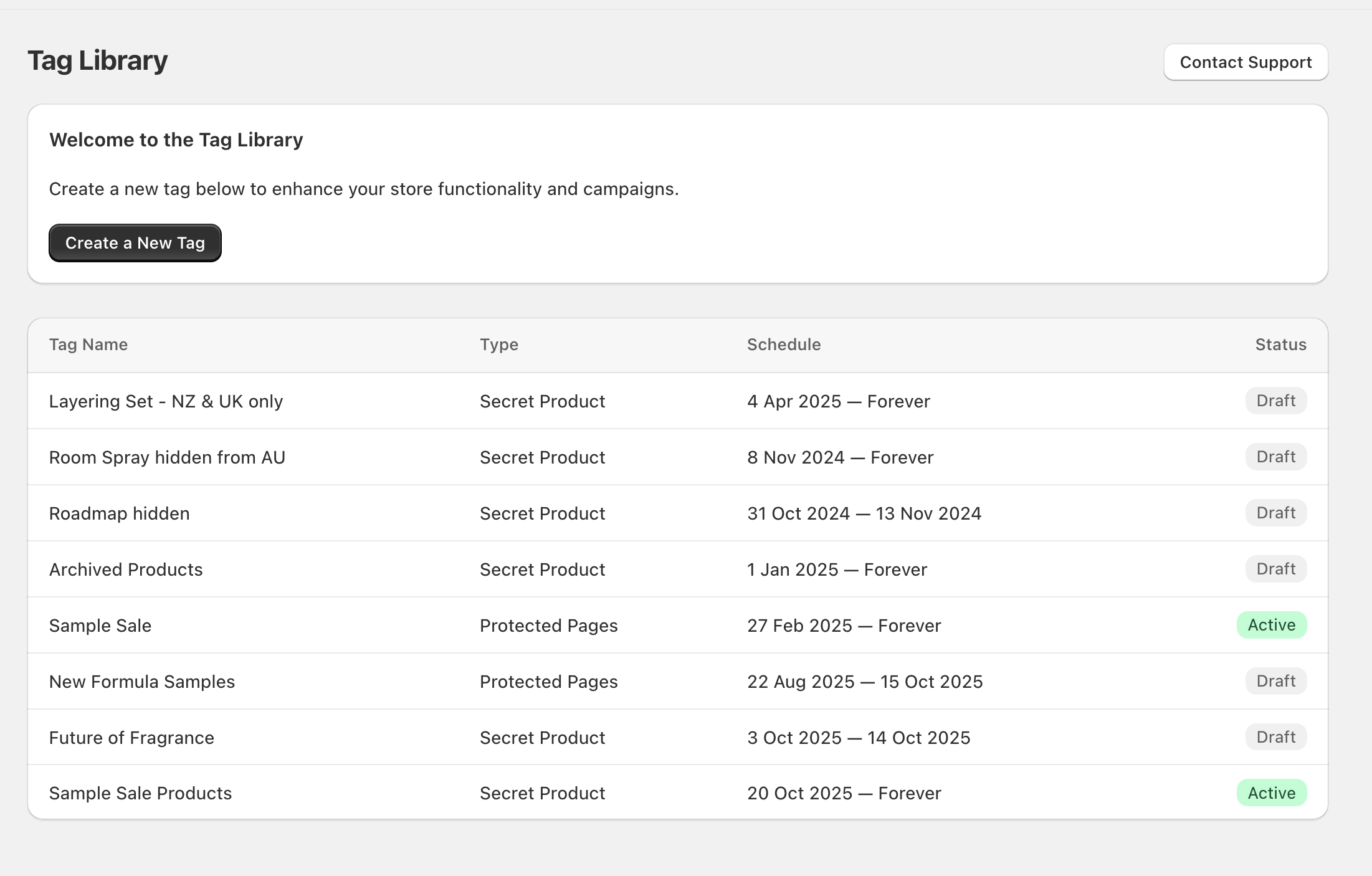
Select Create a New Tag.
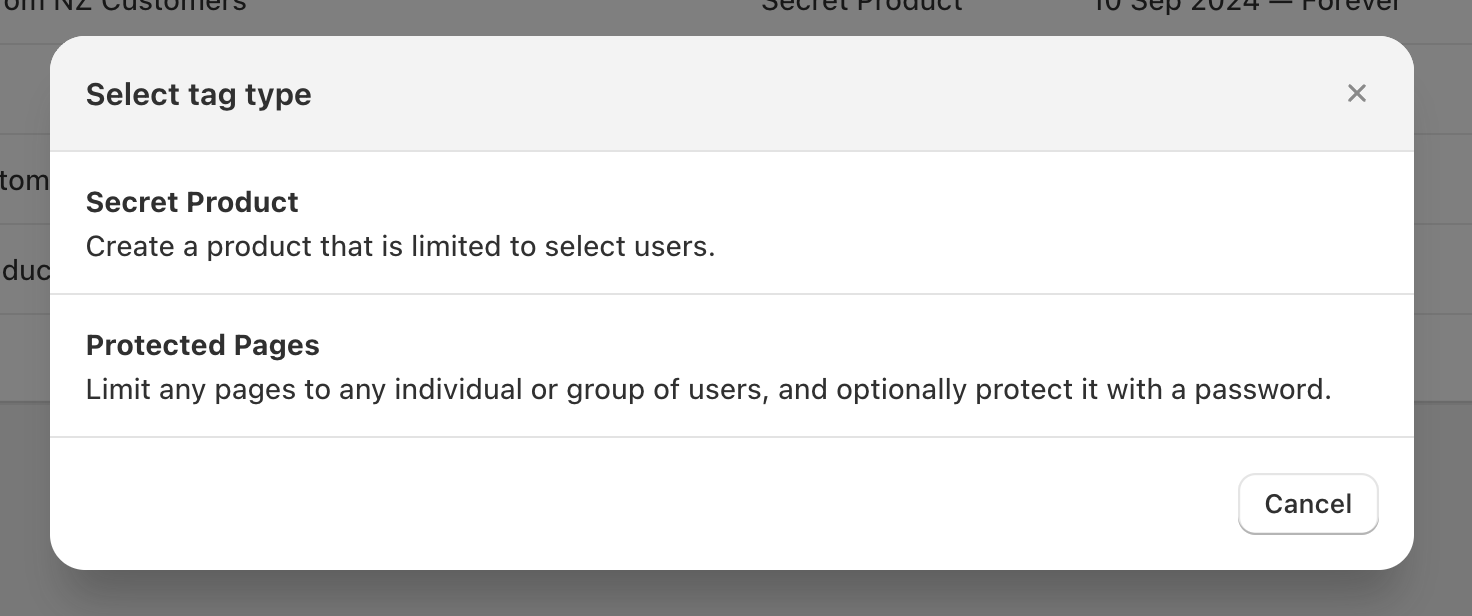
In Select tag type, choose Secret Product.
Enter a clear Tag name, then choose a Status (for example, Draft while you test, then Active when ready).
In Applies to, choose what you want to control (for example, Specific collections), then add items using Select collections and Browse.
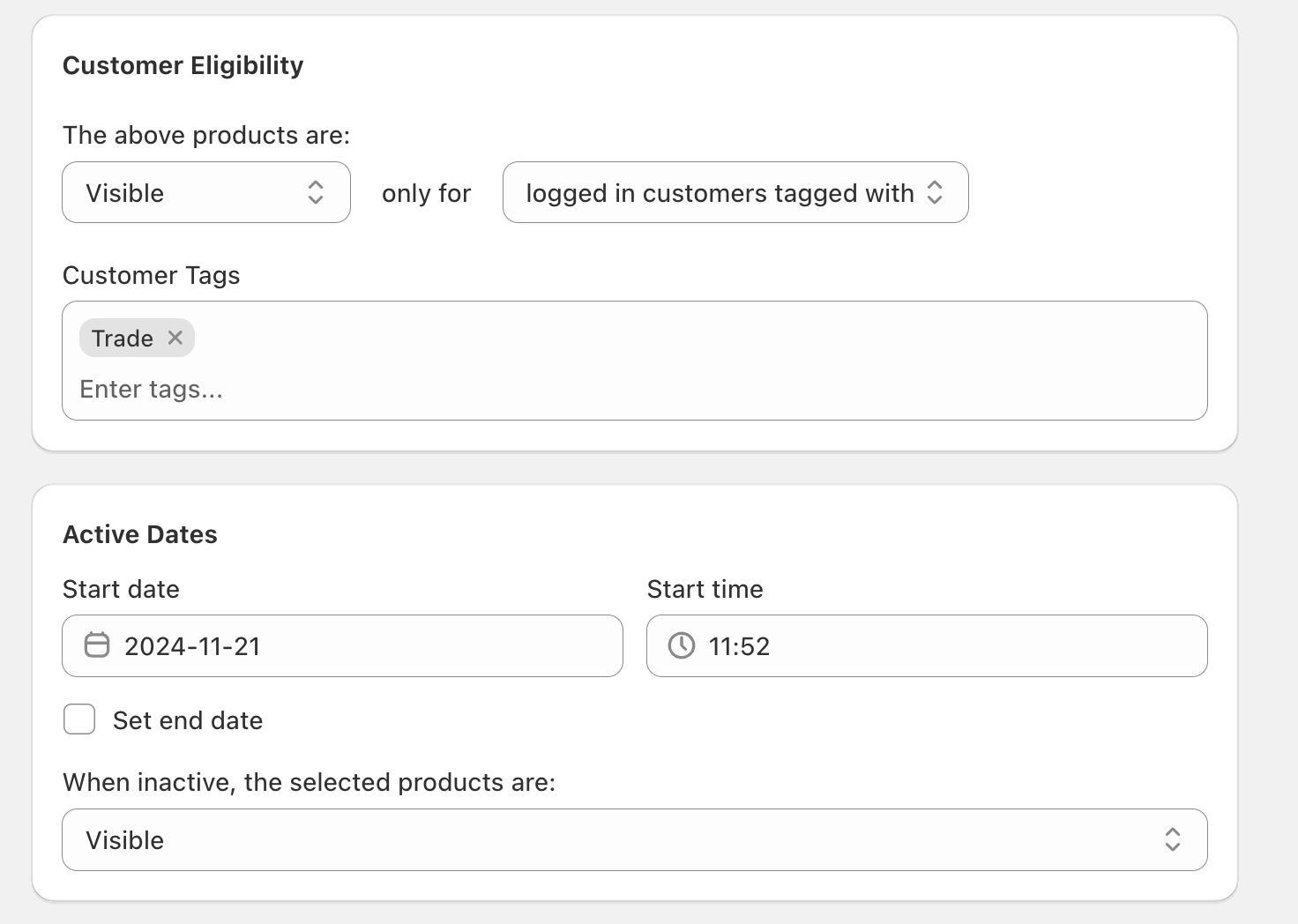
Use Redirect ineligible customers to: to control the experience for visitors who don’t meet your eligibility rules. By default you can use homepage, or enter a path (for example, /collections/new-arrivals).
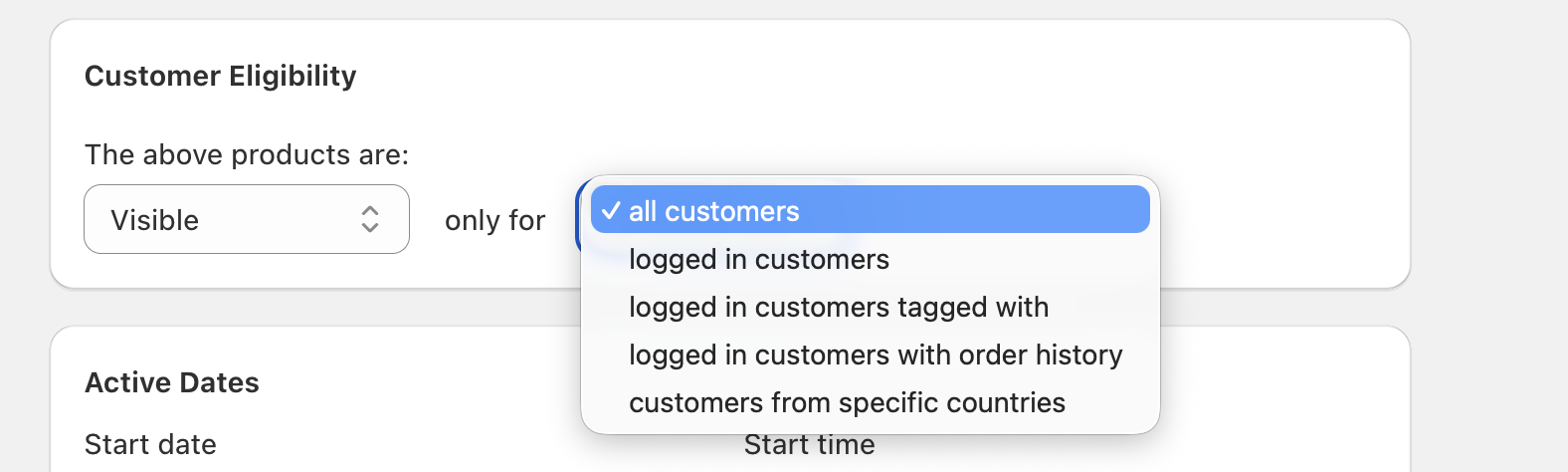
In Customer Eligibility, choose whether the products should be Visible or Hidden for a specific segment, then pick the segment in the only for dropdown.
A common setup is:
- The above products are: Visible
- only for logged in customers tagged with
- Add the required value(s) under Customer Tags (for example,
Trade)
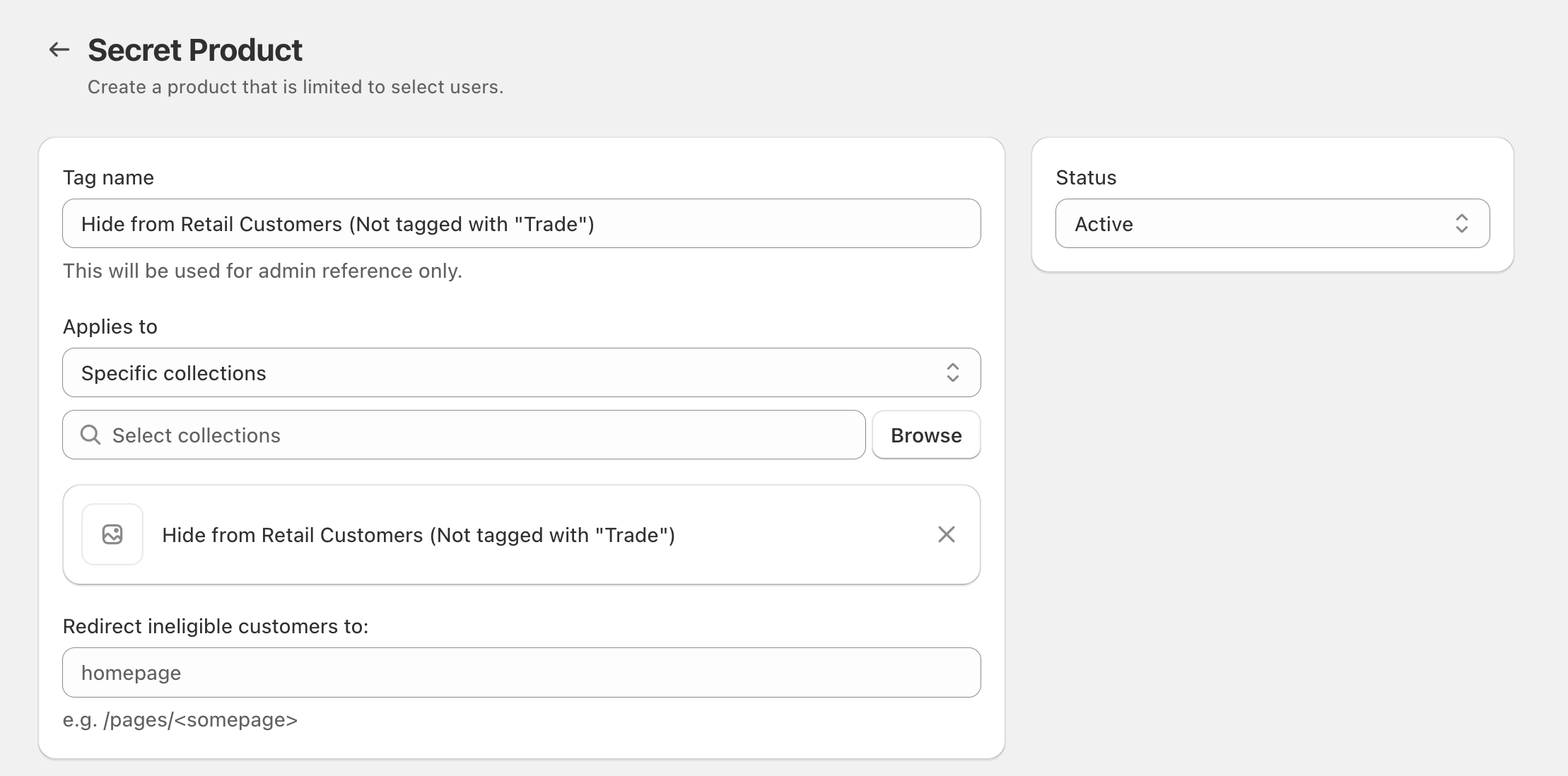
In Active Dates, set a Start date and Start time. Turn on Set end date if you want the rule to stop at a specific time.
Use When inactive, the selected products are: to decide what happens outside the active window.
Customer Eligibility options (what the dropdown means)
In Customer Eligibility, the only for dropdown can include options like:
- all customers
- logged in customers
- logged in customers tagged with
- logged in customers with order history
- customers from specific countries
Custom redirects for ineligible customers
Secret Products can block direct access too. That means if an ineligible visitor lands on a product link (from email, Instagram, ads, or a shared URL), the app can redirect them using Redirect ineligible customers to:.
Use redirects to create a smoother experience than “sending everyone to the homepage,” for example:
- Send to a relevant category:
/collections/new-arrivals - Send to an explanation page:
/pages/wholesale - Send to an alternative region-friendly collection if a product can’t be sold in certain countries
When to use Secret Products (real-world use cases)
Secret Products is best when the product itself should be restricted—either hidden from certain shoppers or visible only to a chosen segment.
Goal: Show trade pricing or wholesale-only products to approved customers.
Typical setup:
- The above products are: Visible
- only for logged in customers tagged with
- Customer Tags: add your wholesale tag (for example,
Trade) - Redirect ineligible customers to:
homepageor/pages/wholesale
Goal: Give VIP customers first access before a public launch.
Typical setup: Use logged in customers with order history or a VIP customer tag, and set a 24-hour window in Active Dates. After the end date, use When inactive, the selected products are: to make the products available broadly (or keep them hidden).
Goal: Hide products from customers in specific countries where you can’t sell or ship them.
Typical setup: In Customer Eligibility, choose a country-based segment (for example, customers from specific countries) and decide whether products are Visible or Hidden for that segment.
Best practice: Use Redirect ineligible customers to: to send shoppers to a relevant collection instead of a dead end.
Goal: Run a private sale for employees, subscribers, loyalty members, or a segment of customers.
Typical setup: Create a Secret Product tag that applies to the sample-sale collection, set eligibility (tagged customers or order-history-based), and schedule a clear start/end time in Active Dates.
Goal: Use shoppable content while preventing the “wrong” audience from landing on restricted products.
Typical setup: Keep products restricted using eligibility rules, and set Redirect ineligible customers to: a broader collection so shoppers still see something relevant when they click a tagged product link.
Goal: Promote a bundle or add-on only to customers who have already purchased (or spent above a threshold).
Typical setup: Use logged in customers with order history so the bundle product is visible only to past purchasers or VIPs.
Secret Products vs Protected Pages
In Select tag type, you may also see Protected Pages. Use it when you want to restrict specific storefront URLs under URLs (and optionally use Password Protection), rather than controlling access to products/collections.
Tips for a clean setup
- Name tags like policies: include the segment and intent (for example,
Hide from Retail Customers (Not tagged with "Trade")). - Use redirects intentionally: match the customer’s intent (category page, info page, or an alternative collection) instead of always sending visitors to
homepage. - Use Draft while testing: keep Status as Draft until you’ve confirmed eligibility and redirects behave as expected.