

customer eligibility controls
What customer eligibility controls do
Customer Eligibility controls let you decide who can access the products you apply to a Tag Library rule (for example, a “Secret Product” rule). You’ll find these options in the Customer Eligibility section on the tag edit screen.
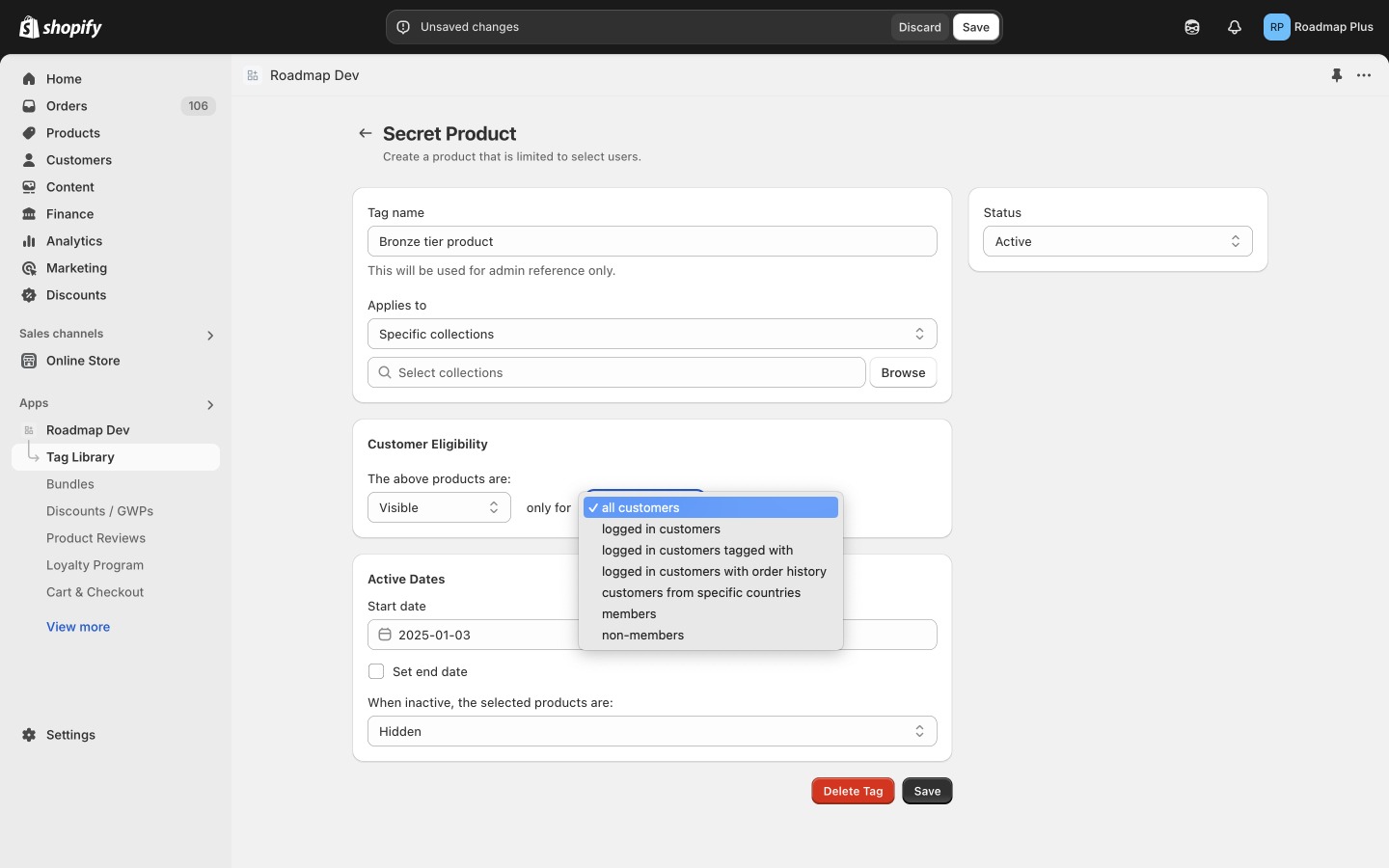
Where to find Customer Eligibility
Eligibility options (what each one means)
The only for dropdown includes the following options.
All customers means anyone who visits the website can access the products—whether they are logged in or logged out.
Use this when you want the rule to apply broadly, without restricting access by customer status.
Logged in customers means only shoppers who are currently logged into a customer account can access the products.
If a shopper is logged out, they won’t qualify until they sign in.
Logged in customers tagged with lets you limit access to customers who are logged in and have specific customer tag(s) on their Shopify customer profile.
- Use this to grant access to a single tag (for example,
vip). - Or use it to grant access across a range of tags (for example,
tier_bronze,tier_silver,tier_gold).
Logged in customers with order history lets you require a purchase history before granting access.
You can set eligibility based on:
- Total amount previously spent (minimum spend), and/or
- Number of orders previously placed (minimum order count).
This is useful for:
- First-time purchase bonus (for example, show a special product only to customers with 0 orders, or hide it after 1 order),
- VIP access (for example, customers with 5+ orders or $500+ lifetime spend).
Customers from specific countries lets you include or exclude access based on the shopper’s country.
Use this when you need region-based access, such as compliance restrictions, country-specific catalogs, or international launches.
Members are customers who are part of a specific loyalty tier you’ve created in your Roadmap loyalty program.
Use this to create tier-based perks, like access to members-only products for Gold (or higher) tiers.
Non-members excludes loyalty members from accessing these products.
Use this when you want to reserve certain products for non-members only (for example, a signup incentive product shown to shoppers who haven’t joined your loyalty program yet).
Common setups
- Wholesale/private catalog: Set only for to logged in customers tagged with and use a tag like
wholesale. - VIP early access: Set only for to logged in customers with order history and require a minimum spend or order count.
- Loyalty tier benefits: Set only for to members and target the tier you want to reward.
- Geo-restricted product: Set only for to customers from specific countries and include/exclude as needed.
Notes about visibility and scheduling
On the same screen you may also configure:
- Status (for example, Active)
- Active Dates, including Start date and Set end date
- When inactive, the selected products are: (for example, Hidden)