

Why is my GWP is not working in POS?
Why GWP may not work in Shopify POS
If your Gift With Purchase (GWP) offer works online but doesn’t show up or apply in Shopify POS, it’s usually due to one of the following:
The POS GWP tile (smart grid tile) has yet to added to Shopify POS.
Your store isn’t eligible to use Shopify Automatic Discounts in POS (requires Shopify POS Pro).
1) Enable the Roadmap POS GWP tile
For in-store staff to access GWP in Shopify POS, you need to add the app’s smart grid tile.
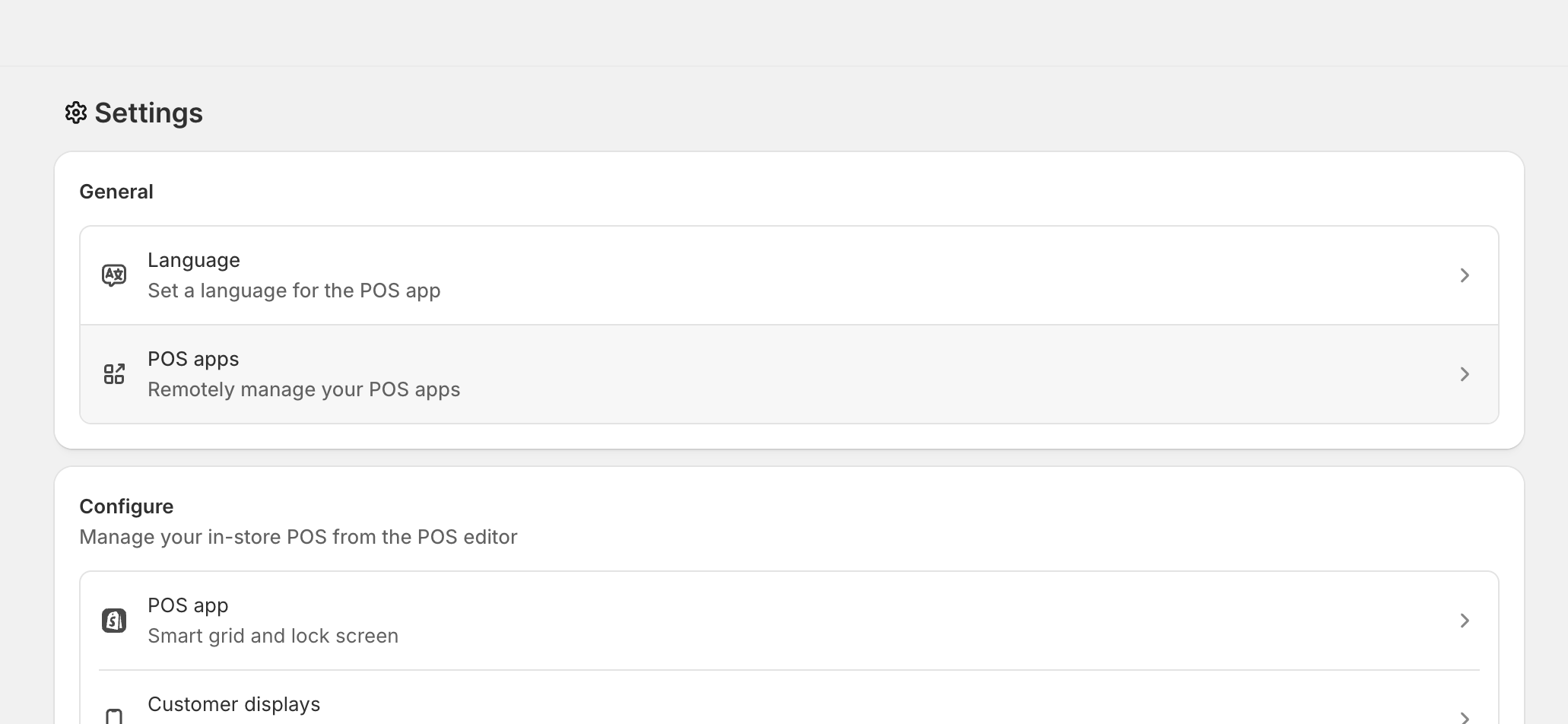
In Shopify admin, go to Settings and open the POS settings area. Look for items like POS apps and POS app under the POS configuration sections.
Find and open POS GWP (shown as POS GWP by Roadmap).
In Customize this app, click Add. This makes the tile available in POS for quick access.
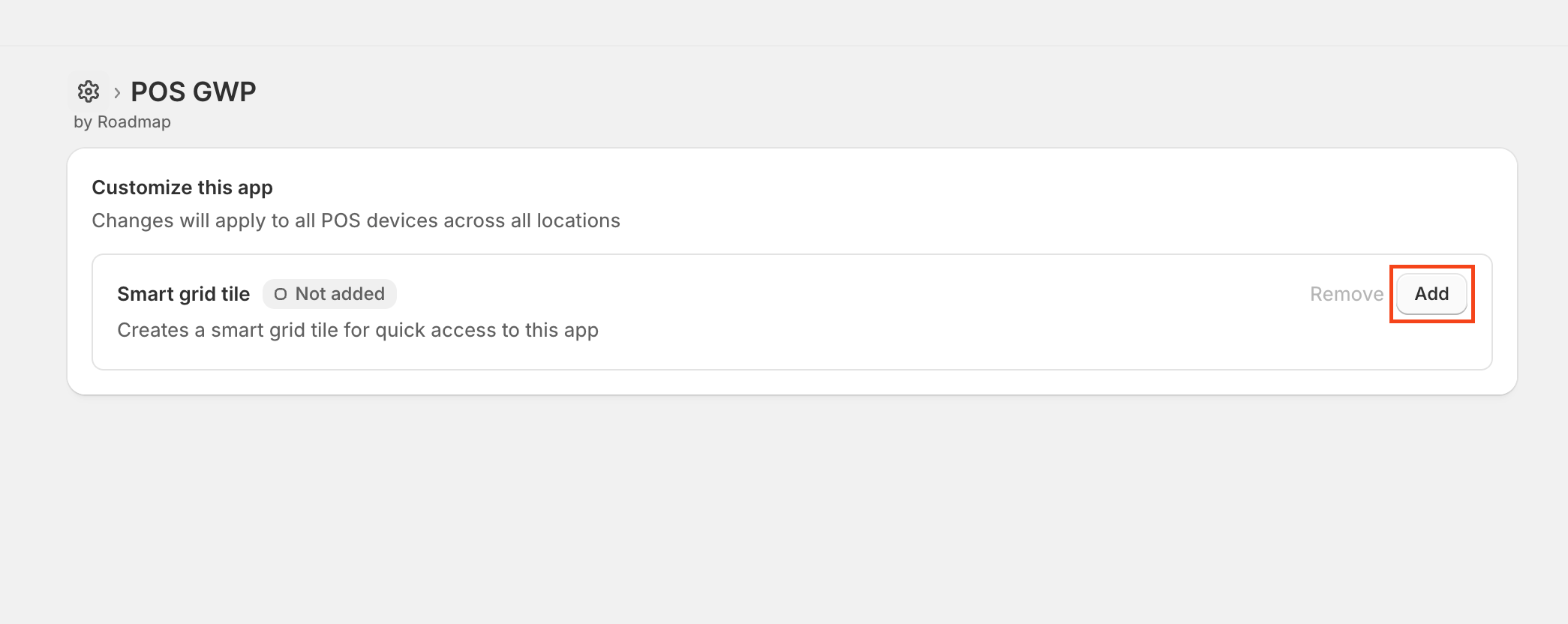
Adding the smart grid tile applies to POS devices across locations, based on your Shopify POS configuration.
2) Confirm you’re on Shopify POS Pro (required)
GWP in POS is powered by Shopify Automatic Discounts. Shopify only supports automatic discounts in POS for merchants using Shopify POS Pro.
If you are not on Shopify POS Pro, GWP will not be available in POS, even if it works on your online store.
If you want seamless POS integration for GWP, upgrade to Shopify POS Pro and then retest the offer in POS.
Quick checklist
POS GWP → Customize this app → Smart grid tile is set to Added (not “Not added”).
Your store is on Shopify POS Pro so Automatic Discounts can run in POS.
FAQ
Most commonly, the store isn’t on Shopify POS Pro. Because GWP relies on Shopify Automatic Discounts, POS Pro is required to apply the discount automatically during checkout.
The Customize this app screen indicates changes applied across all POS devices and locations, depending on your Shopify POS setup. After adding the tile, refresh/reopen Shopify POS on the device to ensure it appears.