> For the complete documentation index, see [llms.txt](https://docs.roadmap.so/llms.txt). Markdown versions of documentation pages are available by appending `.md` to page URLs; this page is available as [Markdown](https://docs.roadmap.so/loyalty-and-rewards/membership-tiers-and-referrals/manage-referrals.md).
# Manage referrals
Reward customers for referrals with Referral Program
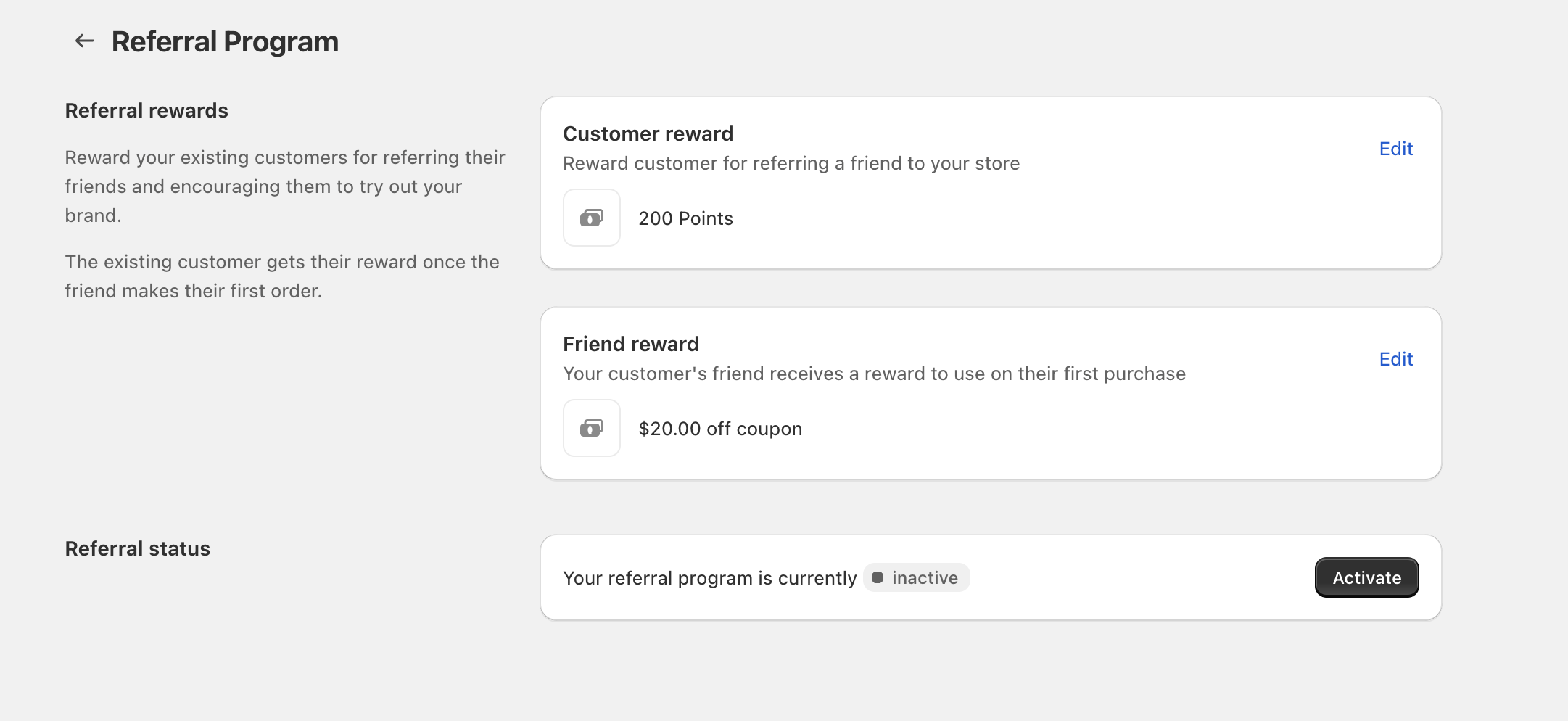
Use **Referral Program** to reward both the existing customer who refers a friend and the friend who places their first order.
The existing customer receives their reward **once the friend makes their first order**.
### Set the reward for the referring customer
Open the Customer reward settings
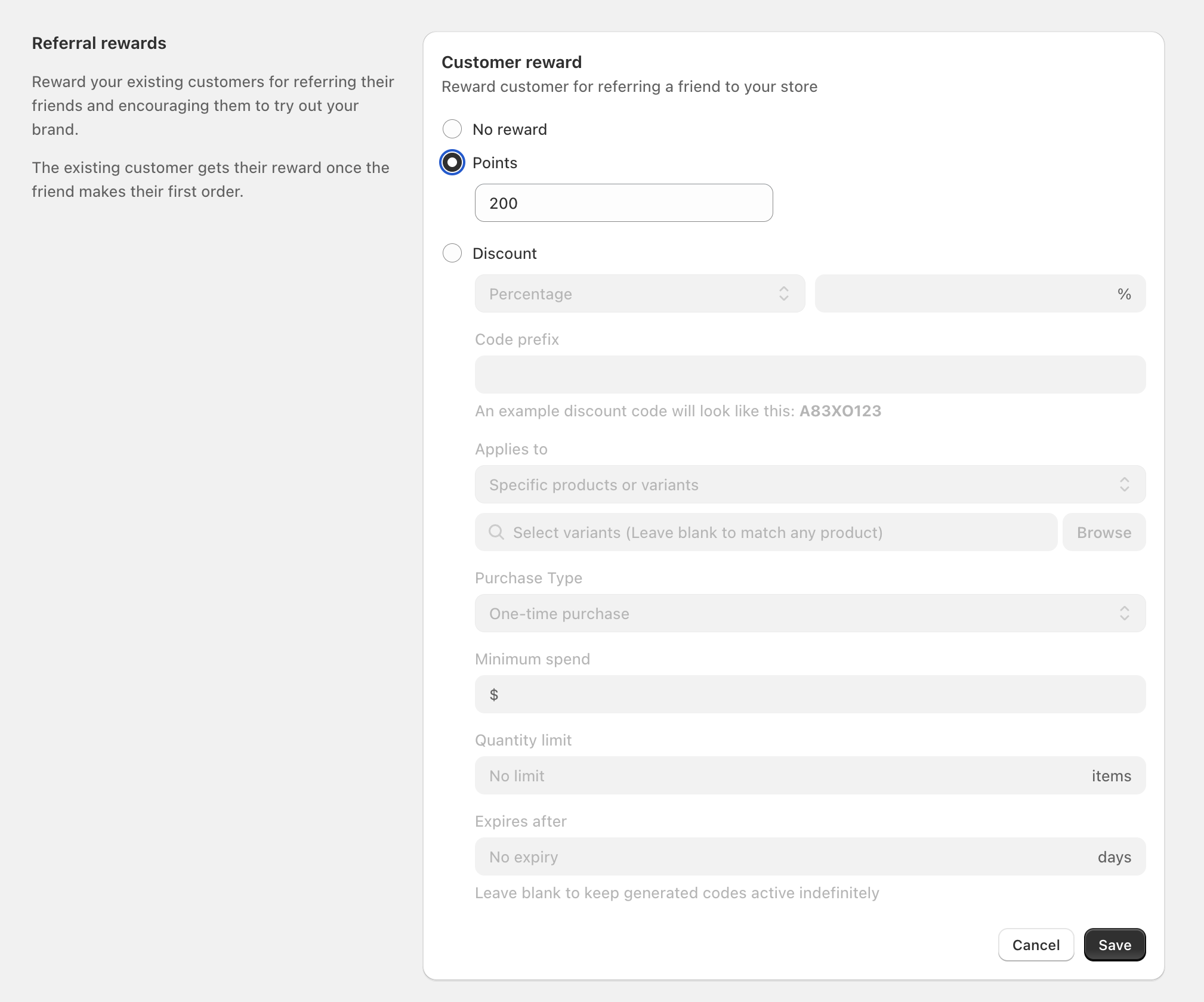
From **Referral Program**, find **Customer reward** and select **Edit**.
Choose what to reward
Select one option:
* **No reward** (turns off the customer reward)
* **Points** (enter the number of points)
* **Discount** (configure a coupon-style discount)
If you choose Discount, configure the rules
Fill in the available fields as needed:
* **Percentage** or **Fixed amount**
* **Code prefix** (the beginning of the generated code; the example updates underneath)
* **Applies to** (for example, **Specific products or variants**)
* **Select variants** (optional; select specific variants, or leave blank to match any product). Use **Browse** to pick items.
* **Purchase Type** (for example, **One-time purchase**)
* **Minimum spend**
* **Quantity limit**
* **Expires after** (leave as **No expiry** to keep codes active indefinitely)
Save your changes
Select **Save**.
### Set the reward for the referred friend
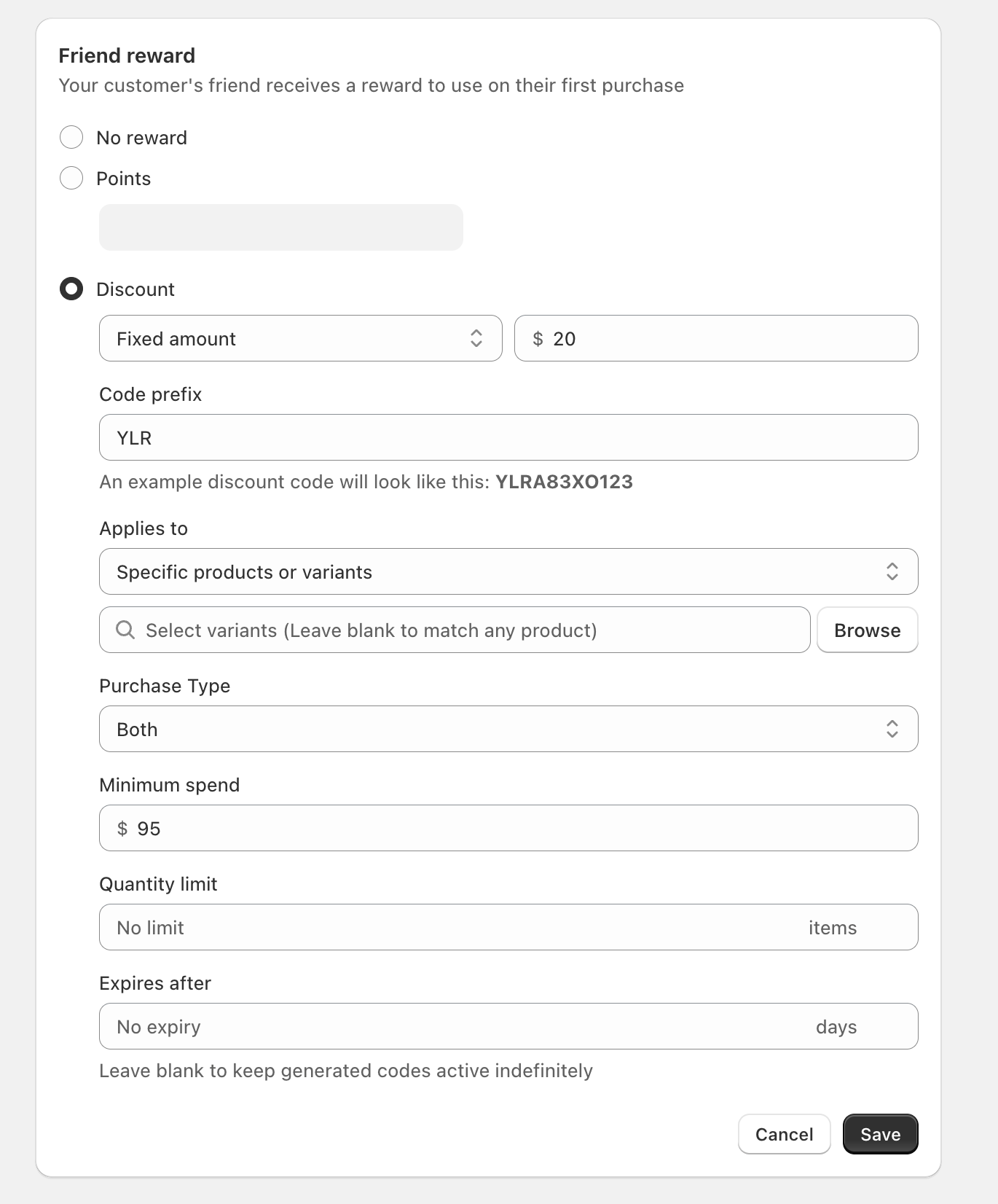
The **Friend reward** is what your customer’s friend receives to use on their **first purchase**.
Open the Friend reward settings
From **Referral Program**, find **Friend reward** and select **Edit**.
Choose Points or Discount
Pick **No reward**, **Points**, or **Discount**, then configure the same discount rule fields if you choose **Discount**.
Save your changes
Select **Save**.
### Activate your Referral Program
Check Referral status
On the **Referral Program** page, look for the **Referral status** section.
Turn it on
If it shows **inactive**, select **Activate**.
If you’re testing, set a small **Points** reward first (for example, 50–200) to verify the referral flow, then switch to a **Discount** once you’re ready.
### FAQ
When does the referring customer get rewarded?
The referring customer receives their reward after the friend makes their **first order**.
Do I have to use both rewards?
No. You can choose **No reward** for either **Customer reward** or **Friend reward**, and keep the other one active.
What does “Code prefix” do?
It sets the starting characters for generated discount codes. The example shown beneath the field updates to preview what the code will look like.
---
# Agent Instructions
This documentation is published with GitBook. GitBook is the documentation platform designed so that both humans and AI agents can read, navigate, and reason over technical content effectively. Learn more at gitbook.com.
## Querying This Documentation
If you need additional information that is not directly available in this page, you can query the documentation dynamically by asking a question.
Perform an HTTP GET request on the current page URL with the `ask` query parameter, and the optional `goal` query parameter:
```
GET https://docs.roadmap.so/loyalty-and-rewards/membership-tiers-and-referrals/manage-referrals.md?ask=&goal=
```
`ask` is the immediate question: it should be specific, self-contained, and written in natural language.
`goal` is optional and describes the broader end goal you are ultimately trying to accomplish on behalf of the user. GitBook uses it to tailor the answer towards what is most useful for that goal.
The response will contain a direct answer to the question and relevant excerpts and sources from the documentation.
Use this mechanism when the answer is not explicitly present in the current page, you need clarification or additional context, or you want to retrieve related documentation sections.